Progressive Delivery: Strategies, Examples & Best Practices


Every software release carries some risk. A feature might work perfectly in staging but behave differently when thousands of people start using it.
Progressive delivery helps reduce that risk by introducing changes gradually instead of releasing them to everyone at once. Teams can monitor how a feature performs, collect feedback, and decide when to expand a rollout or roll it back.
In this guide, we'll compare the main progressive delivery strategies, explain how feature flags support gradual releases, and walk through a practical example. We'll also cover what to monitor, how to decide when it's safe to expand a rollout, and what can go wrong along the way.
What Is Progressive Delivery?
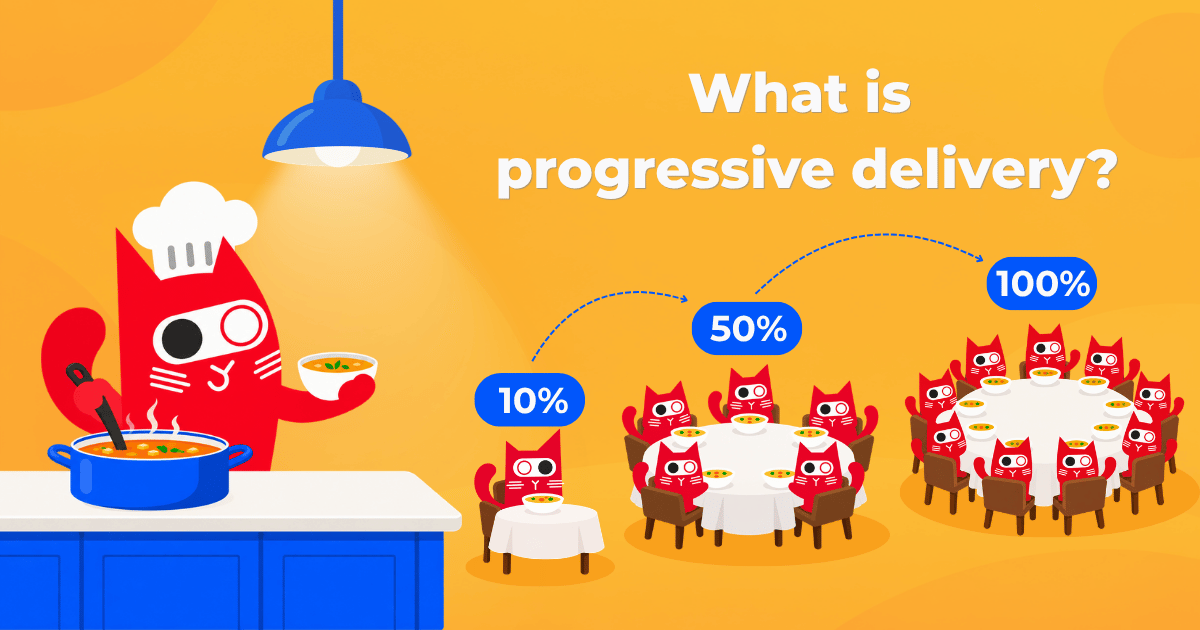
Progressive delivery is a software release approach that gradually introduces changes to users while monitoring their impact. Instead of releasing a feature to everyone at once, teams start with a smaller audience and expand access as they gain confidence.
Imagine a cat adoption platform introducing a new feature that recommends adoptable cats based on users' preferences, such as age, personality, and compatibility with other pets. The feature works well in testing, but the team wants to make sure the recommendation service can handle real traffic before making it available to everyone.
Instead of enabling it for all users immediately, they could start with internal employees, invite a few beta testers, and gradually expand access to 10%, 25%, 50%, and eventually 100% of eligible users.
At each stage, they check how the feature behaves before deciding whether to make it available to more people. If something goes wrong, they can stop expanding the rollout while they investigate.
The goal isn't necessarily to release software more slowly. It's to make frequent releases less risky by limiting the impact of unexpected problems.
Progressive Delivery vs. Continuous Delivery
Progressive delivery builds on continuous delivery, but the two approaches focus on different parts of the software release process.
Continuous delivery is about keeping software ready to release. Automated builds, tests, and deployment pipelines help teams prepare changes reliably and frequently.
Continuous deployment goes a step further by automatically deploying changes that pass the required checks.
Progressive delivery focuses on how changes are introduced to users once they're ready. It allows teams to control access, monitor results, and gradually expand the rollout.
| Approach | Main focus | Key question |
|---|---|---|
| Continuous delivery | Keeping software ready to release | Can we release this change reliably? |
| Continuous deployment | Automatically deploying changes that pass the pipeline | Can this change reach production automatically? |
| Progressive delivery | Controlling exposure to new changes | How can we introduce this change with less risk? |
These practices complement one another. For example, a team could use a CI/CD pipeline to deploy new code to production, then use progressive delivery to control how the new functionality becomes available.
Deployment And Release Aren't the Same Thing
An important part of progressive delivery is separating deployment from release.
Deployment means putting new code into an environment, such as production. Release means making new functionality available to users. The two often happen together, but they don't have to.
For example, developers could deploy a new cat recommendation feature while keeping it disabled behind a feature flag. The code would already be in production, but users would continue seeing the existing adoption interface.
Once the team is ready, it could enable recommendations for selected users without deploying the application again.
This approach, known as decoupling feature releases from deployments, gives teams more flexibility over when and how functionality becomes available.
Progressive Delivery Strategies: Canary, Phased, and Ring Rollouts
Progressive delivery isn't a single technique. Teams can use several strategies to introduce changes gradually, depending on their application, infrastructure, and release goals.
Three common approaches are canary releases, percentage-based rollouts, and ring deployments.
Canary releases
A canary release introduces a change to a small subset of production traffic or users before making it available more broadly.
For example, a deployment-based canary might direct 5% of production traffic to a new application version while the remaining 95% continues using the stable version.
By monitoring error rates, latency, and other metrics, the team can identify problems before increasing traffic to the new version.
Canary releases are often implemented through deployment platforms, load balancers, or service meshes. Feature flags can also support canary-style releases by controlling access to individual features rather than entire application versions.
Percentage-based (phased) rollouts
Percentage-based rollouts, also called phased or gradual rollouts, increase the proportion of users receiving a feature over time. A team might start at 10% and expand to 25%, 50%, and finally 100%. With feature flags, these percentages can change without redeploying the application.
Unlike directing 10% of traffic to a new service version, enabling a feature for 10% of users doesn't necessarily represent 10% of requests. A small group of heavy users could generate considerably more traffic than a larger group of occasional users.
Ring deployments
Ring deployments organize users or environments into predefined groups called rings. Changes are introduced to one ring at a time.
A typical release might follow this order:
- Ring 0: Internal employees
- Ring 1: Beta testers
- Ring 2: A broader customer group
- Ring 3: All remaining eligible users
Unlike percentage-based rollouts, rings use predefined audiences. They can be implemented through separate infrastructure environments or feature flag targeting rules.
Teams can combine rings with percentage rollouts, moving from internal testing to a broader customer rollout once the initial groups have validated the change.
What about blue-green deployments?
Blue-green deployment is another release strategy often discussed alongside progressive delivery. It uses two production environments: one running the current application version and another running the new version. Once the new version is ready, traffic is switched to it.
However, a blue-green deployment isn't automatically progressive delivery. Switching all traffic at once still exposes everyone to the new version simultaneously.
A blue-green setup can support progressive delivery when traffic is shifted gradually between the two environments, with monitoring and decisions between stages. Without that gradual exposure, it remains a deployment strategy rather than a progressive rollout.
Comparing progressive delivery strategies
| Strategy | How it works | Best suited for |
|---|---|---|
| Canary release | Exposes a small subset of traffic or users to a change | Validating potentially risky releases |
| Percentage-based rollout | Gradually increases the percentage of users receiving a feature | Controlled feature releases |
| Ring deployment | Releases changes to predefined groups | Internal testing and beta programs |
| Blue-green deployment | Switches traffic between two application environments | Replacing application versions with a prepared fallback |
These strategies can also work together. For example, a team could deploy a new service version using a canary strategy while keeping individual features behind feature flags.
The important question is what you want to control: exposure to a new application version, access to an individual feature, or the order in which different groups receive a change.
Progressive Delivery vs. A/B Testing
Progressive delivery and A/B testing both expose different users to different experiences, but they answer different questions. Progressive delivery focuses on release safety, while A/B testing measures whether a change improves outcomes such as conversions or engagement.
For example, the cat adoption platform might gradually release its recommendation feature to check that it performs reliably. Separately, it could run an A/B test to determine if personalized recommendations lead to more adoption inquiries.
The two approaches can work together, but a gradual rollout alone isn't a controlled experiment. A/B testing also requires a suitable experimental design and analysis.
How Feature Flags Support Progressive Delivery
Feature flags let developers enable or disable functionality without redeploying their applications. By placing new functionality behind a flag, teams can deploy code to production while controlling when and for whom it becomes available.
Feature flags support:
- Targeted releases: enable functionality for specific users or groups
- Gradual rollouts: increase feature availability in stages
- Independent releases: deploy code separately from making functionality available
- Kill switches: disable problematic features without necessarily rolling back a deployment
For our cat adoption example, developers could create a Boolean flag called new_cat_recommendations.
The team could enable the feature for internal employees and beta testers while making it available to 25% of the remaining eligible users.
A feature flag management platform such as ConfigCat lets teams manage these targeting rules and rollout percentages through a dashboard.
Can feature flags help with rollback?
Feature flags can also help teams respond quickly when a release causes problems. If the recommendation service starts slowing down, the team can disable the flag and return users to the existing experience, assuming the fallback remains functional.
However, disabling a feature flag doesn't automatically reverse database changes, undo completed operations, or guarantee an immediate rollback. Changes may also take time to reach applications depending on the SDK's caching and polling configuration.
For example, turning off recommendations won't help if a database migration has already broken the old adoption interface. Both ON and OFF paths need to remain functional, and teams should test the fallback before starting the rollout.
Progressive Delivery in Practice: From Internal Testing to 100%
The cat adoption platform is ready to introduce its recommendation feature. The development team has tested it in staging and wants to validate performance and user experience in production without enabling it for everyone.
The recommendation service queries several database tables to find suitable matches. It works well with test data, but the team doesn't yet know how those queries will perform under real production traffic.
Here's what a practical release plan could look like:
Step 1: Deploy the feature behind a flag
Developers deploy the new recommendation functionality with new_cat_recommendations disabled in Production. Users continue seeing the existing adoption interface.
Before enabling the feature, the team confirms that both the new and old application paths work, establishes baseline performance metrics, and agrees on what would trigger a pause.
Step 2: Start with internal users and beta testers
The team enables recommendations for employees first. Once the basic functionality is working as expected, selected beta testers receive access. This gives the team a chance to collect feedback about recommendation quality and catch problems before the feature reaches a broader audience.
At this stage, feedback matters as much as technical monitoring. The team might discover that recommendations load quickly but return unsuitable matches, or that users don't understand why certain cats are being suggested.
Step 3: Begin the phased rollout
After successful internal and beta testing, the team enables the feature for 10% of eligible users. They monitor its performance before deciding whether to expand access. Each increase depends on the results of the previous stage.
The percentages are illustrative. A high-risk change might need smaller increments or longer observation periods, while a well-understood, low-risk feature could move through the stages more quickly.
Step 4: Decide whether to continue, pause, or disable
Before each increase, someone needs to decide if there's enough evidence to proceed. For the recommendation feature, the rollout plan might look like this:
| Stage | Audience | What to check | Next decision |
|---|---|---|---|
| Internal | Employees | Functionality and application errors | Invite beta testers |
| Beta | Selected users | Usability and recommendation quality | Begin phased rollout |
| 10% | Eligible users | Errors, response times, database load | Expand or pause |
| 25% | Eligible users | Performance under increased usage | Expand or pause |
| 50% | Eligible users | Stability and service capacity | Prepare full release |
| 100% | All eligible users | Ongoing stability and feature adoption | Complete rollout and plan cleanup |
The team should compare results with its baseline and, where appropriate, with users still receiving the previous experience. The duration of each stage should depend on traffic volume and how much data is needed to make a meaningful decision.
If response times increase sharply, the team can pause the rollout. If the new feature causes serious problems and the fallback is safe, they can disable it while investigating.
Step 5: Clean up after a successful release
Once the feature is fully available and the old implementation is no longer needed, developers can remove the temporary release flag and its unused code paths. This prevents temporary release logic from becoming permanent technical debt.
What should you monitor during a progressive rollout?
The most useful metrics depend on the application and the feature being released, but they generally fall into three categories:
- Application health: error rates, latency, resource usage, and service availability
- User experience: feedback, support requests, and usability issues
- Business impact: feature adoption, task completion, and other relevant product metrics
Where possible, teams should compare users receiving the new feature with those still using the previous version. This can help distinguish release-related problems from unrelated changes in traffic or system behavior.
For example, an increase in overall application latency doesn't automatically mean the recommendation feature is responsible. But if recommendation requests become slower while comparable requests on the existing interface remain stable, that gives the team a more useful starting point for investigating the problem.
Monitoring also needs context. A small rollout might not generate enough traffic to reveal rare errors, while a larger audience could expose capacity problems that weren't visible earlier.
Google's SRE guidance on canary releases discusses the importance of choosing meaningful metrics and comparing a new release with a suitable baseline or control group. The same principle is useful for feature-level progressive delivery: collecting metrics is only helpful if you can interpret what they say about the release.
When should you continue, pause, or roll back?
Before starting a rollout, define the conditions for each decision.
| Decision | When to make it |
|---|---|
| Continue | The feature meets agreed performance and reliability criteria |
| Pause | Results are unclear or unexpected issues need investigation |
| Roll back or disable | The feature causes significant problems and a safe recovery path is available |
For example, the team might pause the rollout if the recommendation service's p95 response time stays above its agreed threshold for several minutes, or if its error rate rises significantly above the baseline.
The right threshold depends on the application, traffic levels, and potential impact of failure. A team should also allow enough time at each stage to collect meaningful data. A successful rollout to 10% of users doesn't guarantee that the feature will perform equally well at 100%.
Coordinating releases across teams
Progressive delivery also requires clear ownership. Someone needs to decide when to expand a rollout, monitor the results, and respond if problems arise. Teams can share these responsibilities between Engineering, Product, and Operations. Clear feature flag ownership helps prevent confusion about who can make release decisions. For changes requiring coordination, ConfigCat's Approval flow and Scheduled changes can help teams review and schedule production updates.
Progressive Delivery Best Practices and Common Challenges
Even a well-planned rollout can run into problems. Here are four things worth watching out for.
1. Small percentages can be misleading
Five percent of millions of users could be a large audience, while 5% of a small user base might generate too little data to detect problems. Consider actual traffic and how often users exercise the feature, not just the rollout percentage.
2. Old and new functionality must remain compatible
Different users may be running old and new functionality against shared databases or APIs. Use backward-compatible changes and test both flag states. For larger database migrations, an expand-and-contract approach can help maintain compatibility until the old code is retired.
3. Choose the right rollout audience
Releasing to individual users may work well for consumer applications, but B2B products often need account-level targeting. Make sure the rollout unit matches the feature's behavior and your customers' needs.
4. Don't forget flag cleanup
Temporary release flags shouldn't remain indefinitely. Assign owners, remove unused code paths after successful releases, and document flags that serve a long-term operational purpose.
Following established feature flag best practices also helps teams keep their release process maintainable as their applications grow.
When does progressive delivery make sense?
Progressive delivery is particularly useful for releases that affect critical functionality, introduce performance uncertainty, or need validation under real production traffic.
It's also valuable for applications with large user bases or releases requiring coordination across multiple teams. However, not every change needs a gradual rollout. Small, low-risk updates may be easier to release conventionally.
Progressive delivery introduces some complexity, including monitoring requirements, release coordination, and maintaining old and new functionality during a rollout.
The goal is to choose a release process that matches the risks involved, rather than adding unnecessary steps to every deployment.
Conclusion
Progressive delivery helps teams reduce release risks by introducing changes gradually, monitoring their impact, and expanding access as confidence grows.
Canary releases, percentage-based rollouts, and ring deployments provide different ways to manage the process. Feature flags add flexibility by separating deployments from releases, while monitoring and clear responsibility help teams respond to problems.
The percentages themselves aren't what make a rollout safe. What matters is choosing the right audience, knowing what to measure, and having a plan for what happens if the results aren't what you expected.
Want to give progressive delivery a try? Get started with ConfigCat's Forever Free plan and use feature flags to roll out new functionality gradually, without redeploying your application.
You can stay up to date with ConfigCat on X, Facebook, GitHub, and LinkedIn.
Happy flagging! 🚀