Feature Flag Ownership: How Product and Engineering Should Share Control

Feature flags are one of those tools everyone loves… until it’s time to decide who actually controls them.
Should Engineering keep them because they built the feature? Should Product take over because they’re responsible for launches and customers? Or should both teams share ownership, set some clear rules, and avoid turning every rollout into a small internal debate?
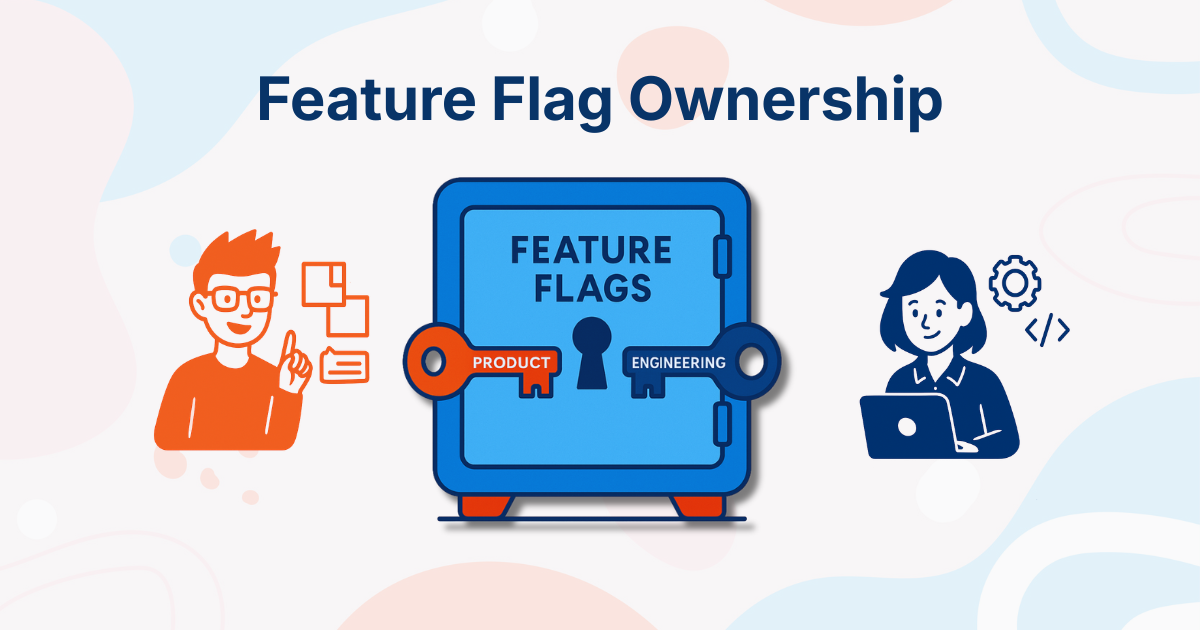
The honest answer is: both Product and Engineering should own feature flags, but not in the same way.
Engineering should own the technical side: implementation, safe defaults, stability, and rollback. Product should own the rollout side: launch timing, user targeting, customer exposure, and experiments.
That sounds simple enough. But in real life, this is where things often get messy. So let’s break it down.
Why Feature Flag Ownership Matters
At first glance, feature flags look simple. Just a switch, right? Not quite.
A feature flag can control much more than the visibility of a button. It may control:
- access to a new feature
- which accounts can join a beta program
- plan-based or account-based access
- A/B tests and product experiments
- percentage rollouts
- operational kill switches
- risky backend behavior
- customer-facing changes in production
In one case, changing a flag may reveal a small user interface element. In another, it may affect authentication, payments, permissions, backend processing, or a critical customer workflow.
That is a lot of responsibility for something that looks like a toggle.
When ownership is unclear, familiar problems start appearing:
- A feature is enabled before Support or documentation is ready.
- Targeting rules are changed without the rest of the team knowing.
- Product has to ask Engineering to make every small rollout adjustment.
- A temporary release flag quietly becomes permanent technical debt.
- Nobody knows who can make an emergency change in production.
- A customer receives access to something they were not supposed to see yet.
None of this is usually dramatic at first. It is more of a slow, annoying kind of confusion. The kind where people start checking old tickets, scrolling through Slack threads, and asking around until someone finally says, “Oh, I think that was created for the beta last quarter.”
Clear ownership prevents that. It tells everyone:
- what the flag is for
- who owns its implementation
- who controls its rollout
- who can change it in production
- what the safe fallback is
- when the flag should be removed
Good feature flag ownership makes releases calmer. It gives Product more flexibility without making Engineering nervous. It gives Engineering technical control without turning every rollout into a bottleneck. And that is the balance we are looking for.
Why Engineering Should Own the Technical Side
From an engineering perspective, handing over control of feature flags can feel risky, and for good reason.
1. Feature flags live in the code
Engineers write the condition logic, define the defaults, and build the safeguards. They are the ones who understand what happens behind the scenes when a flag is turned on or off.
A flag might change a small UI element, but it might also affect backend behavior, permissions, payment flows, or integrations. That difference is not always obvious from the dashboard.
This is why Engineering should decide how a flag is implemented and what the safe default should be.
2. They’re responsible for stability
If a feature flag misbehaves in production, it is usually Engineering that has to investigate. They are the ones checking the logs, looking at errors, rolling back behavior, and trying to understand what changed. So when engineers care about who can change flags, they are not being difficult. They are thinking about risk.
This is especially true for flags that touch sensitive parts of the system, like authentication, billing, permissions, infrastructure, or critical customer workflows.
3. Environment drift drives them crazy
There’s also the issue of consistency. Engineers care deeply about environments behaving the same way. If a flag behaves one way in development, another way in staging, and something completely different in production, debugging turns into detective work very quickly. And not the fun kind.
Clear rules around environments, defaults, and rollout paths help avoid that confusion. This is also where good feature toggle management becomes important. It is not enough to create flags. Teams also need to manage them clearly across environments and over time.
4. They handle emergency rollbacks
When things go wrong, Engineering is usually the team handling it.
Kill switches, emergency rollbacks, incident response, quick fixes — this is all part of their world. If a flag creates production risk, Engineering needs the authority to turn it off quickly.
This does not mean Engineering should control every rollout decision. But it does mean they should define the technical boundaries.
From this viewpoint, keeping feature flags under Engineering control feels less like preference and more like a responsibility.
Why Product Should Own the Rollout Side
Now switch perspectives. For Product teams, feature flags are not just technical tools. They are how releases actually happen.
1. Launch timing belongs to Product
Features are tied to customer rollouts, campaigns, betas, demos, documentation, support readiness, and sometimes very specific deadlines.
If Product has to ask Engineering every time a feature needs to be enabled, delayed, or adjusted, the process becomes slow very quickly. And that defeats one of the biggest reasons teams use feature flags in the first place.
Feature flags separate deployment from release. Engineering can deploy code when it is ready. Product can release the feature when the business is ready.
This is especially useful in teams that practice progressive delivery, where a release is not treated as one giant moment. Instead, teams roll features out gradually, observe what happens, and expand with more confidence.
2. They understand user segmentation
Product teams often know who should see a feature first. Maybe it should go to internal users before customers. Maybe it should be enabled for a few design partners. Maybe it should only be available in one region, for one plan, or for a specific customer segment. That kind of targeting is not just configuration. It is a strategy.
In B2B SaaS, this matters even more. A rollout can affect customer conversations, onboarding, pricing, demos, support tickets, and renewal discussions.
Product has the context to make those decisions.
This is also why feature flags are useful beyond simple on/off releases. They can support beta programs, account-based rollouts, plan-based access, and even fake door testing when teams want to validate demand before fully building a feature.
3. Experiments live in Product’s world
A/B tests, gradual rollouts, feature exposure, and product experiments are all part of how Product teams learn. They may want to start an experiment, pause it, expand it, or stop a losing variant. If every change needs an engineering ticket, experimentation slows down.
Feature flags give Product teams the flexibility to learn from real users without turning every change into a deployment. From their point of view, not having control over feature flags slows everything down. And they are right, too.
The Best Model: Shared Feature Flag Ownership
Feature flag ownership should not be treated as a Product versus Engineering problem. It is a workflow problem. Feature flag ownership has several layers. Someone needs to implement the flag. Someone needs to define the default state. Someone needs to decide who sees the feature. Someone needs to monitor the rollout. Someone needs to turn it off if something goes wrong. And someone needs to remove it when it is no longer needed.
Trying to put all of that on one team usually creates problems.
If Engineering owns everything, Product becomes dependent on Engineering for every rollout change. This slows down launches and makes feature flags feel less useful for non-technical teams.
If Product owns everything, Engineering may lose control over technical risk. This can create production issues, especially when flags affect critical flows or complex backend behavior.
The better model is shared ownership with clear boundaries.
1. Engineering owns safety
Engineering should be responsible for the technical foundation of each feature flag. That includes implementation, safe defaults, fallback behavior, environment consistency, and rollback options. Engineering should also decide whether a flag is safe for Product to control.
For example, a simple UI visibility flag may be fine for Product to manage directly. A flag that changes authentication, permissions, payments, infrastructure behavior, or backend processing should probably have stricter rules.
Engineering should also own the cleanup of temporary flags. This part is easy to forget, but it matters a lot. A release flag that stays in the codebase long after the feature has launched becomes technical debt. Over time, these old flags make the code harder to read and the system harder to understand.
At some point, nobody remembers whether a flag is still needed. Then everyone becomes afraid to delete it. And that is how a small toggle turns into permanent clutter.
2. Product owns rollout
Product should own the rollout decisions. Once Engineering has implemented the flag safely, Product should be able to decide when and how the feature reaches users. That might mean enabling it for internal users first, then beta customers, then a small percentage of users, and finally everyone.
Product also owns the customer and business context. They know which customers should get early access, which plans should include the feature, and when a rollout should wait because documentation or support material is not ready yet.
A feature flag can be the difference between “we are launching this to everyone today” and “we are giving this to three design partners first, learning from them and expanding next week.”
The second version is usually much safer. And much less stressful.
3. Everyone shares visibility
Shared ownership only works if everyone can see what is happening. Feature flags should not become mysterious switches that only one person understands. Both Product and Engineering should know what a flag does, who owns it, whether it is temporary or permanent, who can change it, and what happens if it is turned off.
This visibility is also useful for Customer Success, Support, Sales, and Marketing.
They may not need permission to change flags, but they often need to understand which customers have access to which features. If a customer asks why they can see a new feature but another team member cannot, Customer Success should not have to start a full investigation.
The information should be easy to find. Good visibility prevents confusion. It also makes feature flags more useful across the whole company, not just inside Product and Engineering.
This is one reason why choosing the right feature flagging tool matters. The tool should not only help developers evaluate flags in code. It should also give the wider team a clear place to understand rollouts, targeting, permissions, and environments.
Different Flags Need Different Owners
One reason feature flag ownership can feel complicated is that not all flags are the same.
A temporary release flag is different from a long-term access-control flag. An experiment flag is different from an operational kill switch. Treating all of them the same way usually leads to confusion.
A release flag is usually temporary. It hides a feature until the team is ready to launch it. Engineering typically owns the implementation, while Product owns the rollout. Once the feature is fully released and stable, Engineering should remove the flag from the codebase.
An access-control flag is usually longer-term. It controls who can use a feature, often based on plan, customer, region, or account. Product may own the business rules, Customer Success may care about specific accounts, and Engineering owns the technical setup. These flags can stay around longer, but they need clear documentation.
An experiment flag is used for A/B testing or product experiments. Product or Growth usually owns the experiment, while Engineering owns the implementation. Once the experiment ends, the old variant should be removed. Otherwise, the codebase slowly fills up with past experiments nobody wants to touch.
An operational flag is usually owned by Engineering. These flags protect the system. They might disable an external integration, reduce load, or turn off risky behavior during an incident. Product should know they exist, but Engineering should usually control them.
This distinction makes ownership much clearer. Instead of asking who owns all feature flags, teams can ask what type of flag they are dealing with and assign ownership from there.
Common Mistakes Teams Make
1. Giving everyone access to everything
It may feel flexible at first, but not every flag is safe to change without context. A flag may look harmless in the dashboard, but it could affect a sensitive backend process or customer-facing flow. The fix is not to lock everyone out, but to give people the right level of access.
Product should be able to manage rollout flags. Engineering should control high-risk technical flags. Customer-facing teams may only need visibility. Everyone gets what they need, without creating unnecessary risk.
2. Making Engineering the bottleneck for every flag change
If Product has to create a ticket or send a Slack message every time they want to adjust a safe rollout, feature flags lose a lot of their value. They should give teams more flexibility, not create a new dependency.
3. Forgetting to clean up old flags
A flag is created for a release, the feature goes live, and then everyone moves on. A few months later, nobody remembers if the flag is still needed. A year later, everyone is afraid to delete it. This is how feature flag debt builds up.
A Simple Ownership Checklist
Before creating a new flag, it helps to answer a few basic questions:
- What is this flag for?
- Is it temporary or permanent?
- Who owns the technical implementation?
- Who owns the rollout?
- Who can change it in production?
- What is the safe default value?
- What happens if the flag is turned off?
- When should it be removed?
This does not need to turn into a heavy approval process. The goal is simply to avoid guessing later. If your team can answer these questions, you are already in a much better place.
So, Who Should Own Feature Flags?
The cleanest answer is this: Engineering owns implementation and safety. Product owns rollout and exposure. Both teams share visibility and responsibility.
This model avoids the two extremes. Engineering does not become a bottleneck for every safe rollout change. Product does not get unrestricted control over risky technical behavior. Everyone has more clarity about what is live, what is hidden, what is being tested, and what needs to be cleaned up.
Feature flags work best when they are treated as a shared release tool, not as a territory one team needs to defend.
Final Thoughts
Feature flag ownership is not really about who gets the power. It is about who has the right context for each decision.
Engineering has the context to make flags safe. Product has the context to decide how and when features should reach users. Customer-facing teams often have the context to understand how those changes affect real customers.
When that context is shared, feature flags become much more than toggles. They become a better way to release software. And that is the whole point. Not more switches. Better releases.
Want To Make Feature Flag Ownership Easier?
If your team wants Product and Engineering to work together on releases without stepping on each other’s toes, ConfigCat can help.
ConfigCat gives teams one shared place to manage feature flags, rollouts, targeting, permissions, and environments. Engineering can keep risky flags protected, Product can manage safe rollout changes, and everyone can see what is happening before, during, and after a release.
You can also connect ConfigCat with the tools your team already uses through integrations, join the ConfigCat Slack Community if you want to talk to others, or reach out to support when you need help.
And because ConfigCat has transparent pricing and a Forever Free plan with all features included, your whole team can try feature flagging without seat limits.
You can find more information about ConfigCat on X, Facebook, LinkedIn and GitHub.