Introducing Approval Flow & Scheduled Changes for Feature Flags

Feature flags make it easy to change application behavior quickly. But some changes (especially in Production) need an extra pair of eyes or need to happen at exactly the right time. To make both of these situations easier to manage, we’re introducing two of the most requested ConfigCat features: Approval Flow and Scheduled Changes.
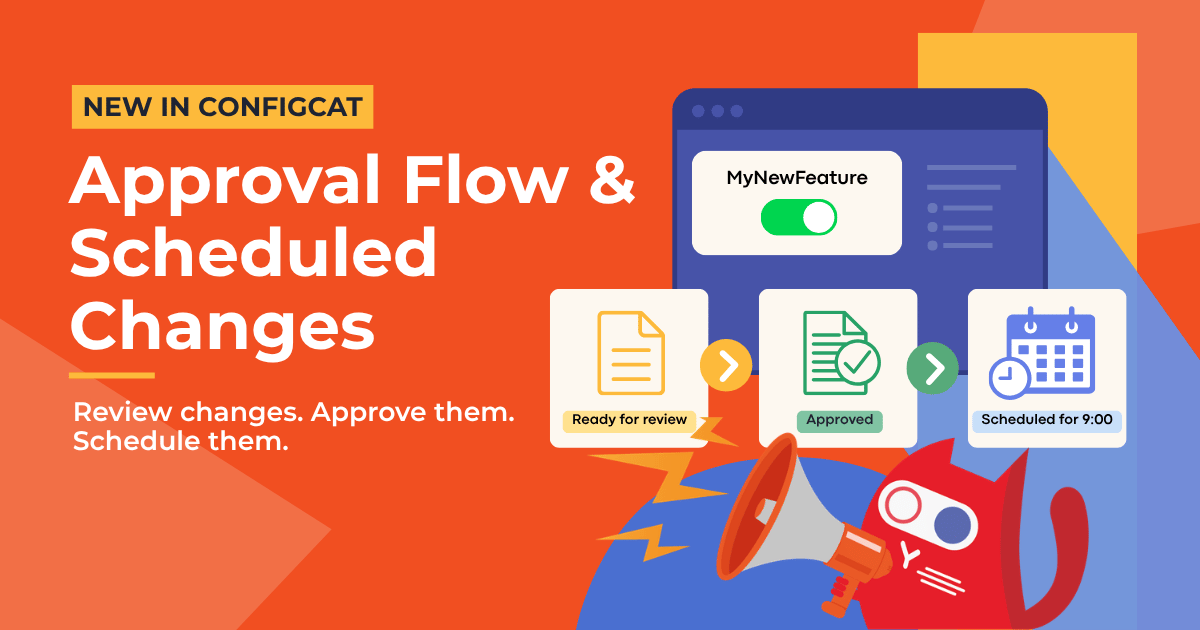
With Approval Flow & Scheduled Changes, you can now propose feature flag changes for review, require approval before they reach an environment, and schedule changes to go live automatically at a specific time.
Together, they make it easier to review important changes and release them at the right time without slowing down everyday feature flag management.
More Control Over How Feature Flag Changes Reach Production
While we were working on the Approval Flow feature, we asked teams how they handle feature flag changes today and where an approval process would be most useful. Most teams told us they wanted extra control in Production, while keeping Development and Staging as simple as possible.
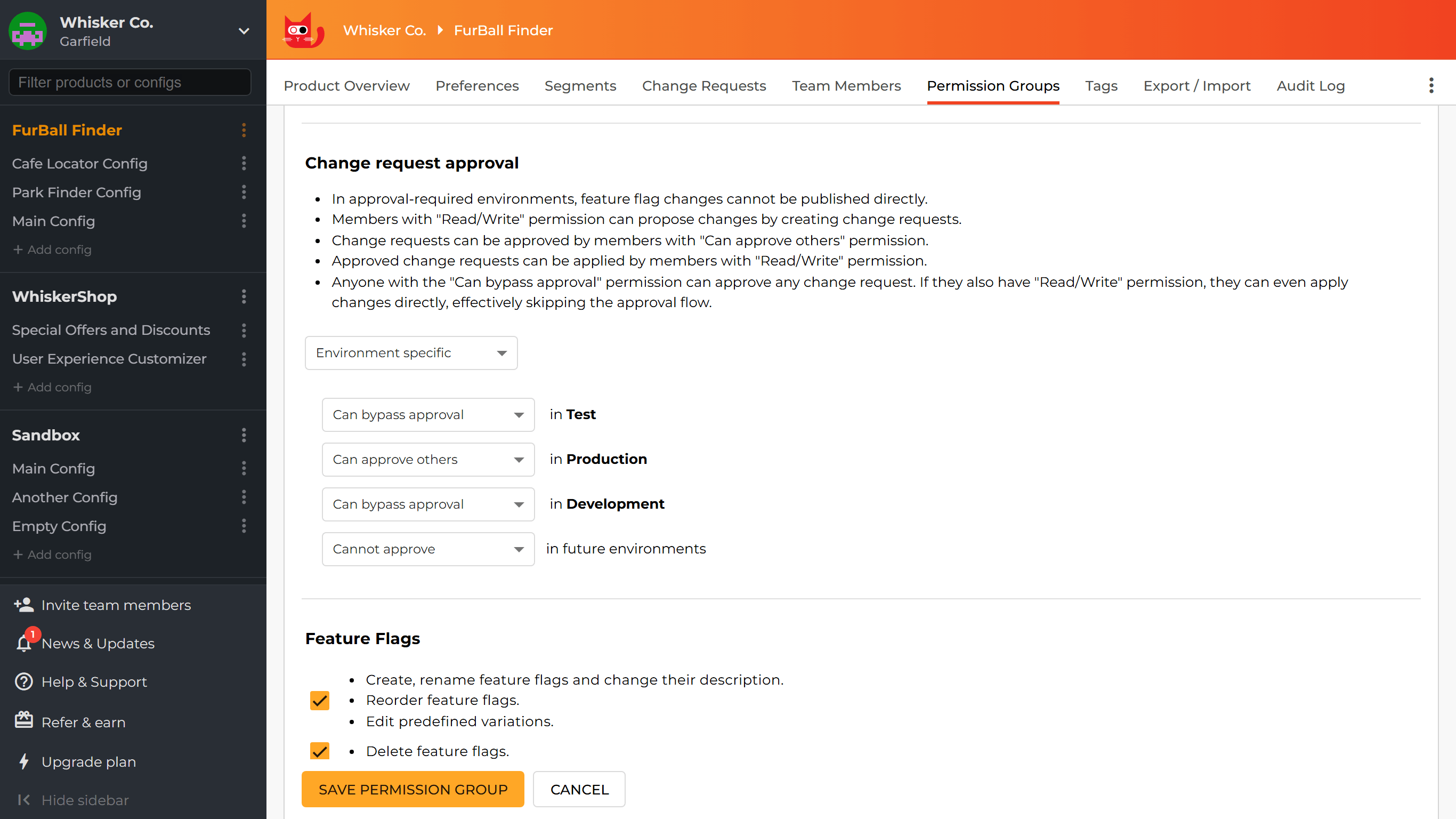
Approval Flow is designed with this distinction in mind. You can enable it for an entire product or configure it only for specific environments. For example, developers could continue publishing feature flag changes directly in Development and Staging, while changes to Production must first be proposed as a change request and approved by another team member.
This adds an extra safety check where mistakes can have a bigger impact, without introducing the same process for every environment. It also fits well with broader feature flag best practices, where clear ownership and careful management of production flags become more important as the number of flags and team members grows.
Publish Immediately, Propose a Change, or Schedule It for Later
You now have three ways to handle a feature flag change, depending on the environment and its approval settings:
- Publish immediately when the change should take effect right away.
- Propose the change and save it as a change request for review and later publishing.
- Schedule the change so that ConfigCat applies it automatically at a selected date and time.
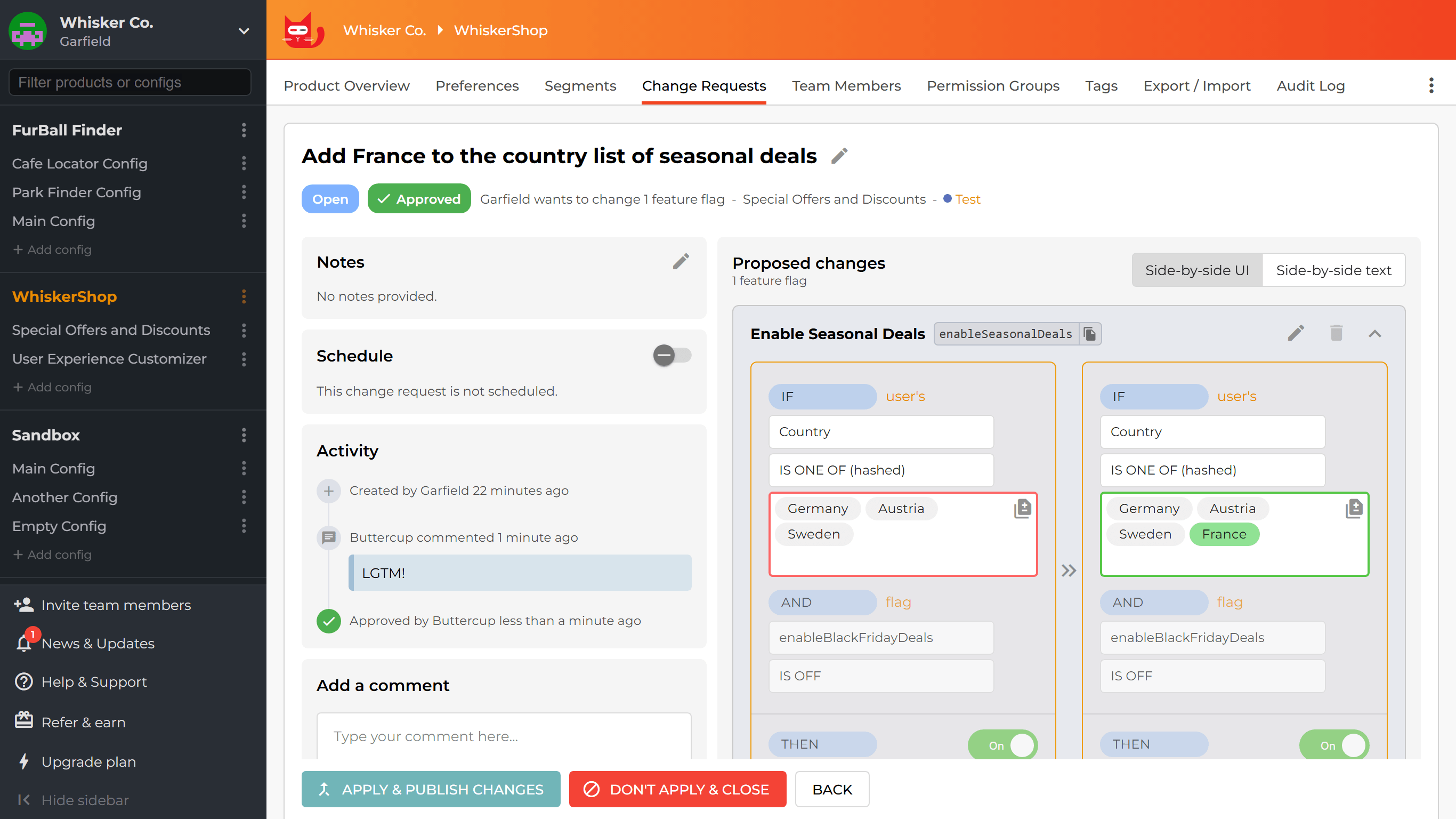
A change request is a set of feature flag changes that you prepare without publishing them immediately. This separates preparing a change from applying it, giving your team time to review, discuss, approve, or schedule it first.
Add Another Pair of Eyes to Important Changes
Several teams we spoke to described their ideal workflow using the four-eyes principle. In practice, this means that the person preparing a production change should not be the only person deciding whether it goes live.
A change request creates that extra review step. Instead of publishing a feature flag update immediately, a team member can propose it so another authorized person can review the planned changes first. This is useful for teams with formal change-management or compliance requirements, but it can also help in everyday product work. A second reviewer may notice that the wrong environment was selected, that a targeting rule affects more users than expected, or that a flag is being changed earlier than planned.
Team members can also discuss the request in comments, so the context behind a production change stays with the change itself instead of getting lost across chat messages or tickets.
There is another safeguard built into the process. If the owner edits an approved change request, for example by changing the proposed flag configuration or updating the schedule, the existing approval is removed. The updated request must then be reviewed again before it can be applied. This means the approval always refers to the version that the reviewer actually saw.
Keep the Approval Process Practical
One of the most useful points we heard during customer feedback was that an approval workflow should not become a bottleneck. One team told us that they had used an approval process on another platform, but stopped because it became too cumbersome during incident response. This is an important concern because extra control is only useful if teams can still react quickly when something goes wrong.
The Change request approval permission has three levels:
- Cannot approve means the member cannot approve change requests.
- Can approve others means the member can approve requests created by other team members.
- Can bypass approval means an authorized member can explicitly skip the normal approval process when necessary, as long as they also have the required Read/Write permission.
The bypass option is intended for exceptional situations, such as an urgent production change. It never happens automatically and always requires a deliberate action. This keeps the normal approval process in place while still giving authorized team members a way to react quickly when needed.
Match Approval Rules to Your Team Structure
Approval workflows become especially useful when several teams manage different parts of the same product. One team we spoke to had around a dozen teams and roughly a hundred active feature flags, which raised an obvious question: should everyone with edit access also be able to approve every production change?
Approval Flow works with ConfigCat’s existing permission groups, and approval permissions can be set for the whole product or for individual environments. This lets teams decide who can prepare a change and who can approve it.
For example, developers can work with feature flags in their own environments, while Production approvals can be limited to the people who are responsible for that area.
Prepare Changes Now and Apply Them Later
Approval helps with who should review a change. Scheduled Changes helps with when that change should happen.
There are many situations where the team already knows what needs to change, but the right time falls outside normal working hours. Imagine that your team has planned maintenance early on Monday morning and wants to enable a new reporting feature when the maintenance window ends. Instead of asking someone to log in at that time just to update a feature flag, the team can prepare the change beforehand and schedule it for the right moment.
Scheduled Changes can also be useful when you want to:
- coordinate a feature flag update with a product announcement or campaign,
- enable functionality at the start of the business day in another time zone,
- turn a temporary feature off at a predefined time,
- align a feature flag change with another planned release,
- or prepare an early-morning or weekend change during normal working hours.
If Approval Flow is enabled for the target environment, scheduling does not skip the review process. The change request still needs to be approved before ConfigCat can apply it at the scheduled time.
If something prevents the change from being applied as planned, such as missing approval, ConfigCat disables the schedule and keeps the request open. The team can then fix the issue, apply the change manually, or schedule it again.
Handle Overlapping Feature Flag Changes
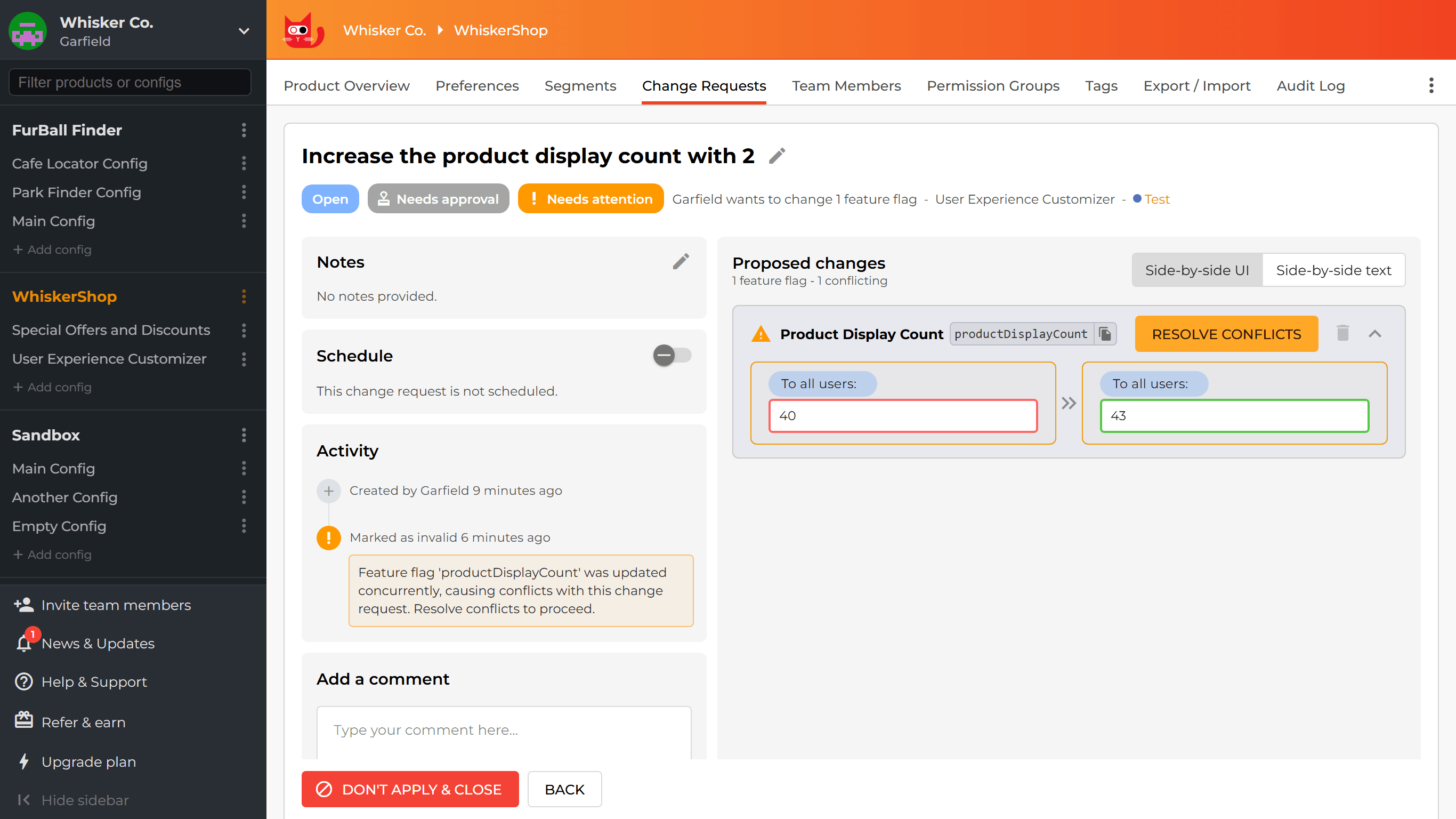
When several people work with the same feature flags, changes can occasionally overlap. ConfigCat warns you if another open change request already includes the same flag, and if that flag changes while your request is still open, the request must be updated before it can be applied. The team can compare the proposed and published versions and decide how to resolve the conflict.
More Control Without Making Feature Flags Harder to Use
The goal of these new features is to add safeguards where they matter without taking away the flexibility that makes feature flags useful. Teams can keep fast workflows in Development and Staging, add review where Production needs more care, and prepare important changes in advance so they go live at the right time.
For setup instructions, permissions, scheduling behavior, conflict handling, and current limitations, read the Approval Flow & Scheduled Changes documentation.
Ready to try it? Sign up for a forever free ConfigCat account and add more control to your feature flag workflow.
For more on feature flags, check out other articles on the ConfigCat blog. You can also stay up to date with ConfigCat on Facebook, X, GitHub, LinkedIn, and the News & Product Updates page.