Main Concepts
Feature Flag or Setting
A Setting is an essential bit of ConfigCat. It can be of multiple types, such as an on/off switch (bool), number (int, double) or any text (string). You can use it to change your application's behavior remotely, without a new deployment.
A Feature Flag is a Setting of type Bool.
Anatomy of a Feature Flag or Setting
| Properties | Description |
|---|---|
| Name | A human readable name that differentiates the Setting on the ConfigCat Dashboard. e.g., My Cool Feature enabled. |
| Key | A variable name within your code. e.g., isCoolFeatureEnabled. |
| Type | Type of information you'd like to keep in the Setting. e.g., On/Off Toggle, Text, Number |
| Value | The actual value of your Setting. e.g., true, false. Can be different in each environment. |
About Setting types
| Setting Kind | Setting Type | Description |
|---|---|---|
| On/Off Toggle | Boolean | true/false, usually referenced as Feature Flag, Feature Toggle or Feature switch. |
| Text | String | Any string, max. 100000 characters, can't be empty. |
| Whole Number | Integer | Any whole number within the range of Int32. |
| Decimal Number | Double | Any decimal number within the range of double. |
JSON validation for text settings
For text settings, there is an additional option to require setting values to be valid JSON. When turned on, ConfigCat will only allow valid JSON values to be entered.
However, please note that this means validation only. Your application will still get a string value, and you will need to parse it into JSON manually if necessary.
Free-form values vs predefined variations
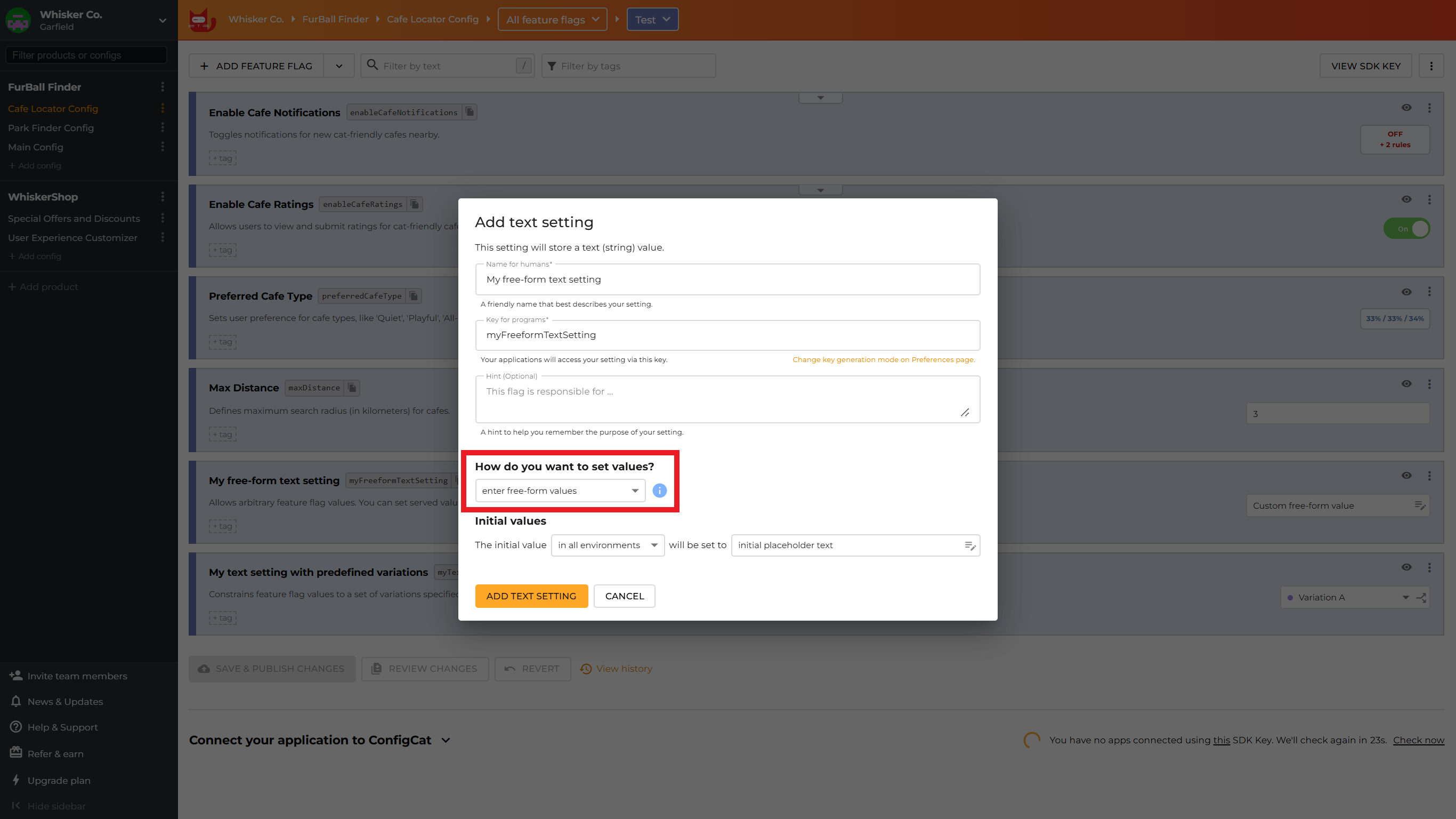
ConfigCat supports two value-modes for feature flags:
- Free-form values: Allows you to enter a feature flag's exact value each time you set it. Best for simple, one-off configurations or quick experiments.
- Predefined Variations: Allows you to define a set of reusable values upfront when creating a feature flag. These variations can then be selected from a dropdown when setting up flag rules. Choose this mode to ensure consistency across rules, prevent typos in complex values (like JSON configurations), and provide self-documenting configurations for your team.
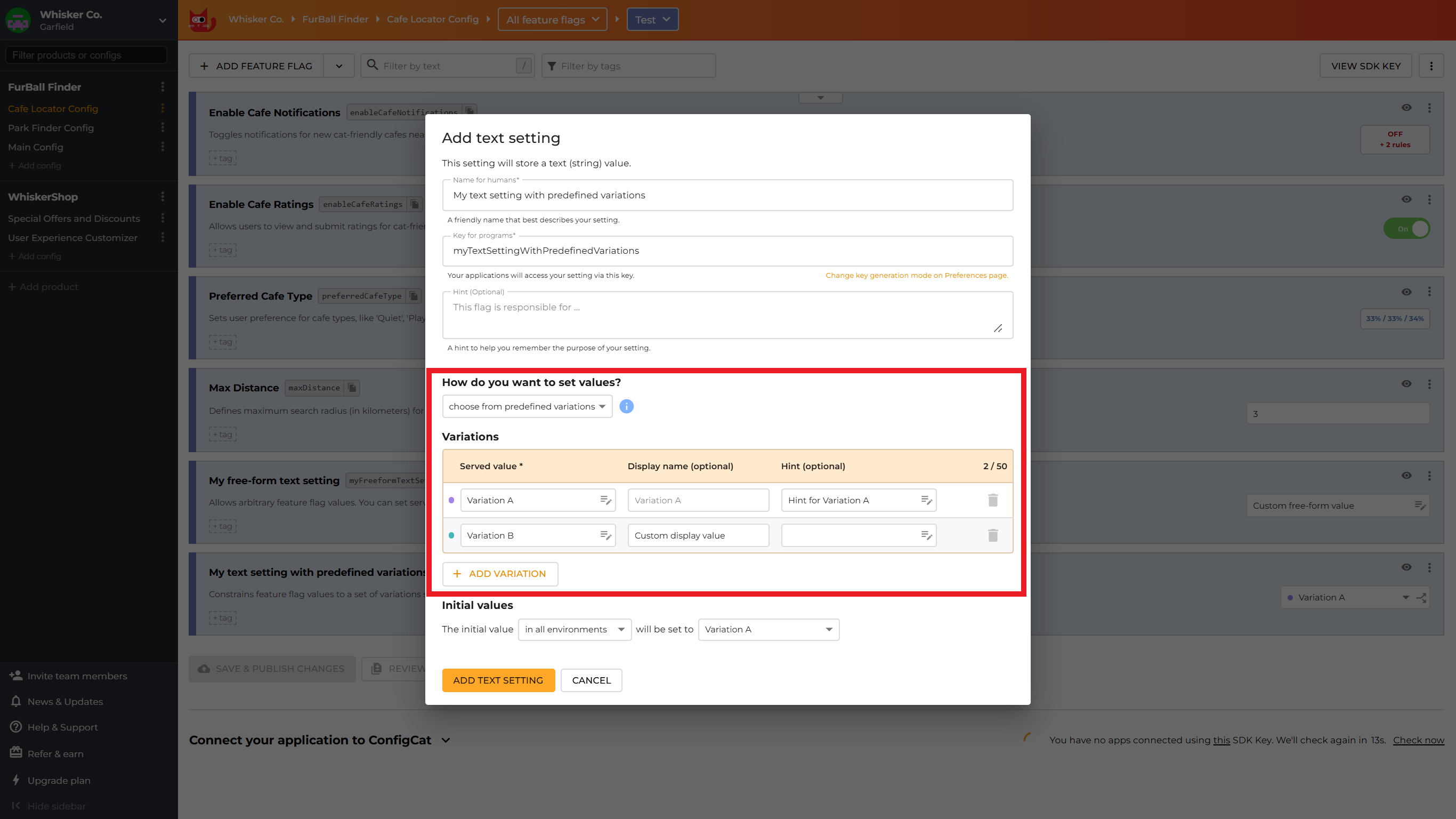
Learn more about predefined variations, including when to use this value-mode, how to convert between the two value-modes, and best practices.
Config
A Config is a collection of Settings. Configs help you organize settings around topics, or around your software components. A Config is like an online version of a traditional config file.
Environment
An environment in ConfigCat represents an environment in your development lifecycle (like production, staging, development etc.). Different environments have the same settings but can have different values.
Each environment-config pair has its own SDK Key which must be used to initialize the ConfigCat SDK within your application.
Product
A collection of Configs, Environments and Team members. A Product typically represents your application (or your service) and the people working on it. It might be a good idea to invite others to your Product to collaborate.
Organization
An Organization represents a collection of preferences that are valid for all the Products and Members who belong to an Organization. Like billing information, authentication rules or data privacy preferences.