Vibe Coding Best Practices: Feature Flags as a Safety Net

Vibe coding is genuinely changing how software gets shipped. It's not hard to see why: faster iterations, lower barrier to entry, more time in flow, and less time wrestling with boilerplate.
Production, on the other hand, doesn't care about your flow state.
You've probably been there: a feature that looked clean in every prompt, passed the automated tests, survived a quick review, and got merged without a second thought, only to silently misbehave for a slice of your users hours later. The AI didn't know about the edge case. You didn't catch it. And now you're debugging code you didn't quite write.
This doesn't mean vibe coding is the problem. It means AI-assisted development needs a production safety net. And what is one of the most practical safety nets for production features? Feature flags.
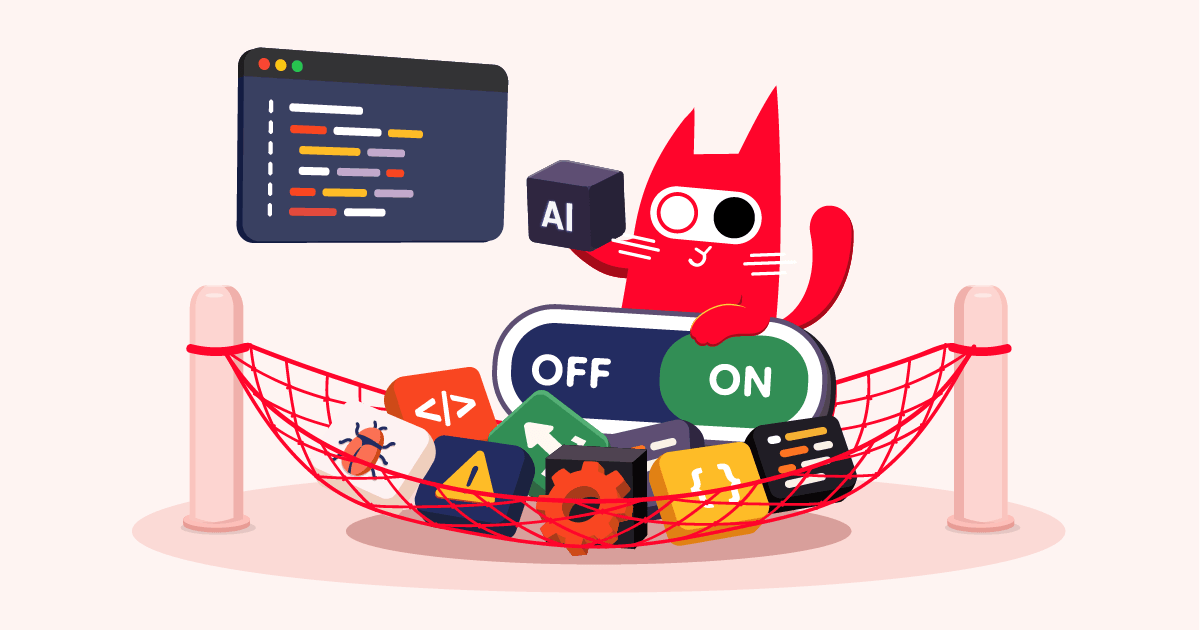
Key Takeaways Vibe coding can speed up development, but AI generated code still needs production controls
- A December 2025 CodeRabbit report analyzed 470 open-source pull requests and found AI-generated code introduced 1.7x more defects across major software-quality categories
- Feature toggles decouple deployment from release: you ship to production, but control who sees it
- Start at 1% rollout: if something breaks, 99% of your users never knew
- Every vibe-coded feature needs a kill switch built in before it ships, and a cleanup deadline set before it turns on
What Is Vibe Coding? (And Why Does It Need a Safety Net?)
Vibe coding is a style of AI-assisted software development in which developers describe what they want in natural language, let an AI coding assistant generate or modify the code, then review, adjust, and ship the result. Tools like Cursor, GitHub Copilot, Claude Code, and similar AI coding assistants have made this workflow much more common.
Vibe coding has gone mainstream. By early 2025, 25% of Y Combinator's cohort had codebases that were 95% or more AI-generated. What started as a workflow hack for solo projects is now how teams at some of the world's fastest-moving startups ship production code.
The tooling caught up fast. The safety practices? Not so much.
Vibe coding sits on a spectrum. On one end: developers who prompt, skim, and ship with minimal review. On the other: experienced engineers who use AI as an accelerator and review the output carefully. What both ends share: the AI was not in your planning meeting. It doesn't know your system's quirks, your team's conventions, or the context that makes your codebase yours. That gap exists regardless of how carefully you read the output.
The real problem isn't that AI is agreeable. Modern AI can reason about architecture, flag trade-offs, and push back on bad ideas when asked. The real problem is context. AI works from what you tell it. Your prompts are never the full picture. It doesn't know about your legacy payment service, your team's unwritten conventions, or the three-year-old function that everything quietly depends on.
The AI works from what you described. Production finds everything you left out.
What Can Go Wrong When You Ship AI-Generated Code to Production?
The code quality numbers are harder to ignore than they used to be. A December 2025 CodeRabbit report analyzed 470 real-world open-source pull requests (320 AI-co-authored and 150 human-only) and found that AI-generated code introduced 1.7× more defects, across major software-quality categories, including logic, maintainability, security, and performance. These aren't syntax errors caught by a linter. They're the kind of issues that can pass review and surface later, when the code is already running in production.
Three failure modes come up again and again:
1. Hidden edge cases
The AI solved the happy path: the one you described in your prompt. Your users found the unhappy path: the empty state, the concurrent request, the malformed input, the locale you never thought to mention. The AI wasn't wrong. It just didn't know what "wrong" looked like in your specific context.
2. Architectural coupling you didn't notice
You asked for a new data processing step. The AI added it cleanly. What neither of you knew: the function it chose to call internally is also used by your billing module. They're now coupled. This won't break immediately. It'll break three weeks later, at 11pm, when someone finally touches billing and has absolutely no idea why payments are suddenly having problems.
3. No one holds the mental model
When something breaks, the developer who prompted the feature can't debug it as quickly, because they accepted the implementation rather than reasoning through it. That's not a character flaw. It's an honest consequence of the workflow. Debugging code you didn't fully build is harder.
All three failures share the same shape: by the time you know something broke, it's already affecting your users.
The practical answer to this gap is feature flags. They won't fix your architecture or improve the AI's context. But they give you control over who sees what, and when. That control is exactly what you need to catch these issues before they become incidents.
How Do Feature Flags Work as a Safety Net for Vibe-Coded Features?
A feature flag (also called a feature toggle) is a conditional in your code that lets you enable or disable a feature for specific users, without redeploying. If you're new to the concept, Feature Flags Explained: How They Work, Why They Matter covers the fundamentals. Martin Fowler's canonical write-up on feature toggles is the definitive reference for the underlying patterns.
The key mental shift: deployment and release are not the same thing.
When you deploy a vibe-coded feature behind a flag, it goes to production but your users don't see it yet. You control when it turns on, for whom, and at what pace. If something goes wrong, you flip the flag off. No hotfix, no emergency deploy, no rollback drill. Just off.
For the examples below, we'll use ConfigCat - a feature flag service with SDKs for every major language and framework. Create a free account to follow along; the free tier has no time limit and covers everything in this article.
Here's what that looks like with the ConfigCat Node.js SDK:
const configcat = require("@configcat/sdk/node");
// The SDK key identifies the project/configs to fetch feature flags from.
// Replace #YOUR-SDK-KEY# with the SDK key from your ConfigCat dashboard.
const configCatClient = configcat.getClient('#YOUR-SDK-KEY#');
// Identify the current user - this enables targeting and percentage rollouts
const isNewCheckoutEnabled = await configCatClient.getValueAsync(
"newCheckoutFlow", // your flag key
false, // default value: off
user
);
if (isNewCheckoutEnabled) {
renderNewCheckout(); // the vibe-coded experience
} else {
renderLegacyCheckout(); // the stable fallback
}
That false default is important: your feature ships turned off. You're in control of when it turns on.
ConfigCat has an MCP server that lets you create and manage feature flags directly from your AI coding assistant. No dashboard switching required. See it in action →
The safety mechanisms this gives you:
- Kill switch: One toggle to instantly disable a misbehaving feature. No deploy, no rollback dance, no war room. This alone is worth the integration.
- Gradual rollout: Start at 1% of users. If something's broken, 99% of your users never knew. Watch your error rate, bump to 5%, then 25%, then 100%.
- Targeted release: Turn it on only for your internal team first. Real production traffic, zero customer exposure. You find the bugs before your users do.
- Audit trail: Every flag change is logged: who changed it and when. That's the accountability layer that vibe coding itself doesn't give you.
Here's how that plays out in practice:
| Without feature flags | With feature flags | |
|---|---|---|
| Rollback speed | Minutes to hours (requires redeploy) | Seconds (toggle off) |
| Production exposure on failure | 100% of users | As low as 1% |
| Debugging context | After full exposure, under pressure | While contained to a small test group |
| Audit trail | Git history only | Per-change log with actor and timestamp |
| Fallback behavior | Defined at redeploy time | Defined before the flag is ever enabled |
Not sure where to start? A single flag on your next AI-generated feature is enough. You don't need to retrofit your entire codebase. Just build the habit on new features.
What Is the Best Vibe Coding Workflow for Production Safety?
The teams shipping AI-assisted features without drama aren't doing more QA. They've made failures less expensive. These practices are what keep production boring, in the best way:
1. Wrap before you ship, no exceptions
Every vibe-coded feature that touches production goes behind a toggle by default. Not "when it feels risky." Not "just this once." Every time. The cost is one conditional. The payoff is a 30-second rollback when something unexpected shows up. Every team that's skipped this rule has eventually wished they hadn't.
2. Start with internal users
Before external users see anything, turn the flag on for your team. You get real production behavior (real database queries, real network conditions, real edge cases) without real customer impact. If it breaks, it breaks for people who can write useful bug reports. You can set this up with targeting rules in ConfigCat, restricting the flag to specific email addresses or domains.
3. Roll out in percentages, not all-at-once
1% → 5% → 25% → 100%. At each step, give it a little time. Watch your monitoring. If a metric moves, you catch it at 5% exposure, not 100%. For a structured approach to percentage-based rollouts, Canary Releases with Feature Flags: How to Roll Out from 1% to 100% walks through the full pattern.
4. Decide what "working" means before you flip the switch
Pick one metric to watch: error rate, conversion, latency, whatever matters for this feature. Check it at each percentage step. If you can't define success before you turn it on, you're not really monitoring a rollout, you're just hoping nothing breaks.
5. Set a cleanup deadline
Toggles are guests, not permanent residents. Before shipping, decide: this release gate gets cleaned up at 100% rollout, or in two weeks, whichever comes first. Zombie flags are technical debt with a slow fuse. Build the cleanup into the same ticket as the feature. If you've already got a backlog of aging flags, start by auditing which ones haven't been evaluated in more than two weeks. ConfigCat's zombie flag report can help you identify unused flags quickly.
Advanced Patterns for AI-assisted Development
If you've been shipping software for years and you're now using AI to accelerate, the five workflow steps above are the floor, not the ceiling. Two patterns pay off once the habit is solid.
Keep your AI branches short, use flags instead
Resist the urge to let AI feature branches grow long. The longer a branch lives, the harder it gets to merge back - and the worse the surprises when you do. Instead: merge to main right away, hidden behind a flag. Users don't see it. Your tests run against the real codebase. Problems surface in minutes, not sprints.
Replace old code gradually
Replacing an existing module with an AI rewrite? Don't swap it in all at once. Wrap the old code in a flag, send a small percentage of traffic to the new version, and compare output, error rates, and latency as you ramp. If the rewrite has edge cases you missed in review - and it might - you catch them at 1% exposure, not 100%.
These patterns assume you've already built the SDK integration and the flag-first habit. If you're still at step one, start with one flag on your next feature: the advanced patterns are earned, not required.
Can You Move Fast with Vibe Coding Without Breaking Production?
Yes. But "fast" and "reckless" are not the same thing. Strong engineering teams do not assume they can prevent every failure. They make changes easier to observe, limit, and recover from. Feature flags support that approach by separating deployment from release.
The DORA 2024 State of DevOps Report (via Octopus Deploy's analysis) is pretty blunt about this: elite teams deploy multiple times per day and have a 5% change failure rate. Low performers ship monthly and fail 40% of the time. The gap isn't talent. It's that when something breaks for elite teams, it doesn't hurt as much - because they've built systems that keep failures small and recoverable.
Feature flags won't make your AI-generated code better. The AI still didn't know about your edge cases. The reviewer still didn't fully trace through it. But when something does surface in production - and it will - you turn it off in seconds instead of spending an evening on a hotfix deploy. That's the deal.
The teams I've seen ship most confidently aren't writing every line by hand. They're also not vibing blindly into production. They use AI for the speed, and release gates for the control. If you want to go deeper on how AI complexity and flag strategy fit together, Feature Flags in the Age of AI covers exactly that.
Frequently Asked Questions
How fast can I roll back with a feature flag?
Rolling back with a feature flag takes seconds: toggle it off from the dashboard, no deployment required. Compare that to a traditional rollback: rebuild, redeploy, wait for traffic to drain. Most feature-flag rollbacks complete before the on-call engineer has fully parsed the alert. The speed difference isn't an incremental improvement; it's a fundamentally different relationship with production incidents.
Do feature flags slow down vibe coding?
The one-time setup (SDK integration, a few flag configurations) is measured in minutes. What it buys is permanent: every future release becomes a toggle, not a redeployment. Teams that adopt feature flags typically ship more frequently, not less, because the psychological cost of a release drops dramatically when you know rollback takes 10 seconds. The overhead is front-loaded. The benefit compounds.
Start With One Flag
Vibe coding is here to stay, and used thoughtfully, it can genuinely make your team faster. But production is unforgiving in ways that prompts can't anticipate. A release gate is the layer between "I built this fast" and "I'm confident this is safe". Once you build the habit, it stops feeling like overhead and starts feeling like the obvious way to ship.
Wrap your next vibe-coded feature in a flag before it hits production. Start at 1%. Give yourself a kill switch. And close your laptop without the 3am worry.
Try ConfigCat for free. The free tier is genuinely free, and you can have your first flag running in about five minutes.
Happy flagging! 🚀
For more on feature flags and modern release practices, follow ConfigCat on LinkedIn, X, Facebook, and GitHub.