Multi-Tenant Feature Flags: How to Target Features by Tenant


Multi-tenant feature flags let you turn a feature on for one tenant while keeping it off for everyone else, all without a redeploy. If you run a B2B SaaS product where several customers share the same codebase, this is how you ship features to one account at a time.
This guide covers three ways to target features by tenant in ConfigCat: custom attributes, reusable segments, and separate environments. We'll look at when each one fits and how much configuration separation each approach provides.
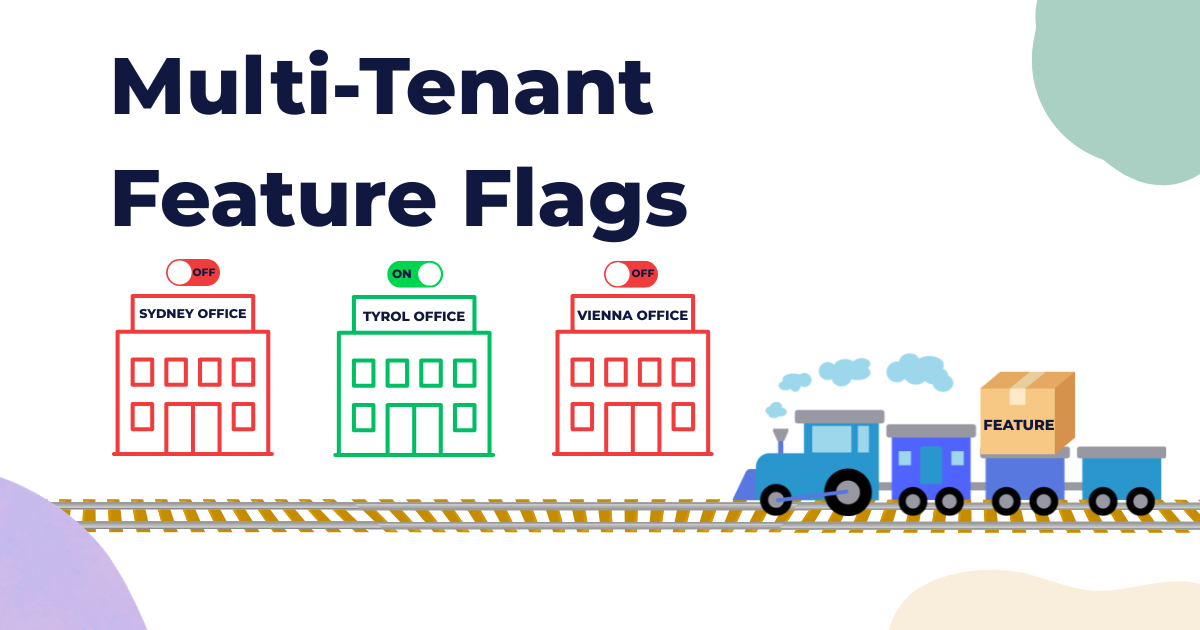
TL;DR: ConfigCat gives you three ways to scope a feature to specific tenants. Use a custom
Tenant_IDattribute for lightweight per-user rules, segments for reusable tenant groups, or separate environments for independently managed tenant configurations. Pick the lightest option that gives you the isolation you need.
What Is a Tenant in a Multi-Tenant Application?
In software, a tenant is a customer, organization, or group of users served by a shared application while keeping its own data, configuration, and privileges logically separated. Tenants may share the same codebase, infrastructure, or deployment, depending on how the application is designed. This shared architecture is known as multi-tenancy and is common in SaaS products.
Think of a bank running one banking app across multiple regional offices. A regional office in Tyrol might want a feature enabled only for its internal users, while the rest of the organization stays on the current experience. Same codebase, different behavior for a specific tenant or business unit.
Multi-tenant apps need a high level of per-customer customization, and feature flags are a clean way to get it. Two common reasons to reach for them:
- Controlled exposure: Targeting rules let you scope a change to a specific customer account, business unit, or internal group, reducing the risk of unintentionally exposing it to other tenants.
- Gradual exposure: You can release a new feature to a single tenant, validate it in production, and then expand the rollout. This is a natural fit for a phased rollout.
Feature flags should not replace authentication, authorization, or tenant-level data isolation. Your application must still verify which tenant the user belongs to and enforce access on the server.
How to Target Features by Tenant in ConfigCat
There are three ways to target tenants in ConfigCat, each offering a different balance of setup effort, reusability, and configuration separation. Here's the short version before we get into each one:
| Approach | Best for | Isolation | Setup effort |
|---|---|---|---|
| Custom attribute | Quick, lightweight per-tenant rules | Logical (rule-based) | Low |
| Segment | Reusable tenant groups across many flags | Logical (reusable) | Medium |
| Dedicated environment | A small number of tenants with independently managed values and SDK keys | Separate environment-specific configuration | High |
Solution 1: Use a Custom Attribute to Target Tenants
A custom attribute lets you target specific users based on information your application passes to ConfigCat during flag evaluation. To target by tenant, include a stable tenant identifier such as Tenant_ID in the User Object and create a targeting rule that compares that attribute with the tenant you want to serve. It's the fastest option to set up.
To do it, log in to your ConfigCat dashboard and create a feature flag. After you create the feature flag, click on the +IF button to Target users.


Select the user's comparison attribute tab, choose Custom, and enter a unique comparison attribute name such as Tenant_ID. Then set the value that identifies the tenant you want to serve. ConfigCat compares that value at evaluation time to decide who gets the feature.
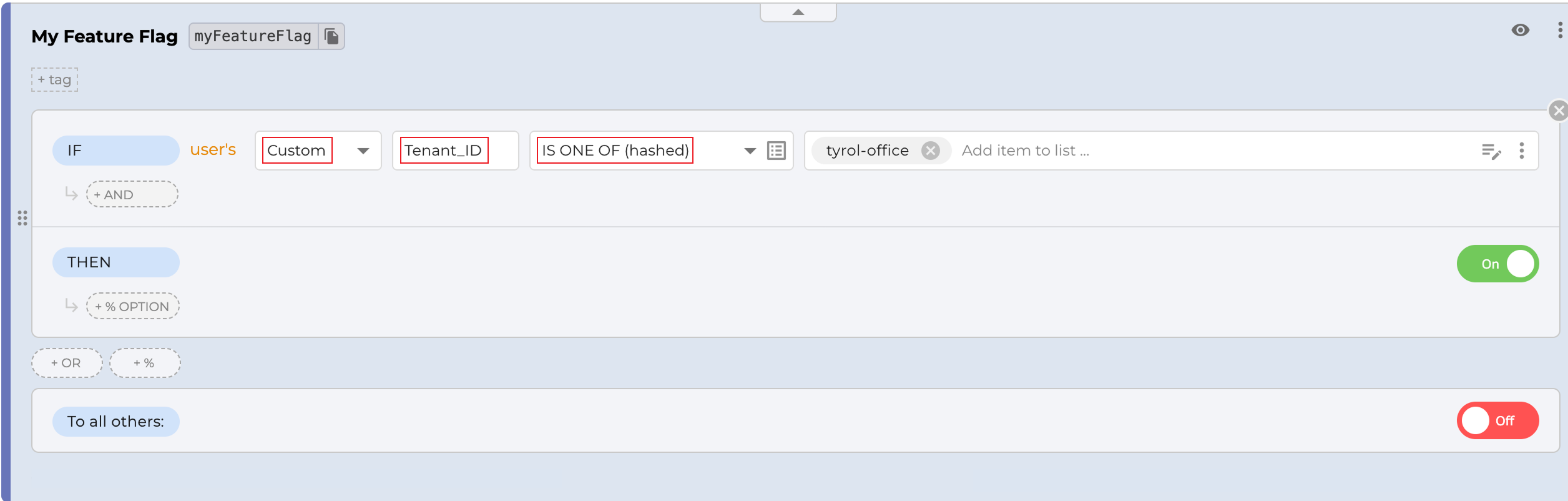
Your application passes the tenant's value in the user object when it evaluates the flag. In practice that looks like this:
const userObject = new configcat.User(
"f47ac10b-58cc-4372-a567-0e02b2c3d479",
{ Tenant_ID: "tyrol-office" } // custom attribute
);
const value = await configCatClient.getValueAsync(
"myFeatureFlag",
false,
userObject
);
ConfigCat reads the Tenant_ID value from the User Object, compares it with the targeting rule, and returns the configured value for that tenant. The feature flag key passed to getValueAsync() must exactly match the key shown in the ConfigCat dashboard. For a deeper look at the targeting mechanics, see our guide on feature flag user targeting.
Solution 2: Use Segments to Group and Target Tenants
A segment is a reusable set of conditions evaluated against the User Object. It's the right choice when the same tenant or group of tenants needs the same treatment across several flags. Instead of repeating the same condition on every flag, you define it once as a segment and reference it wherever you need it. Change the segment, and every flag using it updates at once.
To use a segment, click TARGET SEGMENT on any feature flag.

Define the segment using an identifier, email address, country, or any custom attribute supplied in the User Object. For example, you could create a segment for users whose email address ends with @tyrol.examplebank.com, the tenants of the Tyrol office.
For production tenant targeting, however, a stable attribute such as Tenant_ID = tyrol-office is generally more reliable than an email domain, which may change or may not cover every user belonging to the tenant.
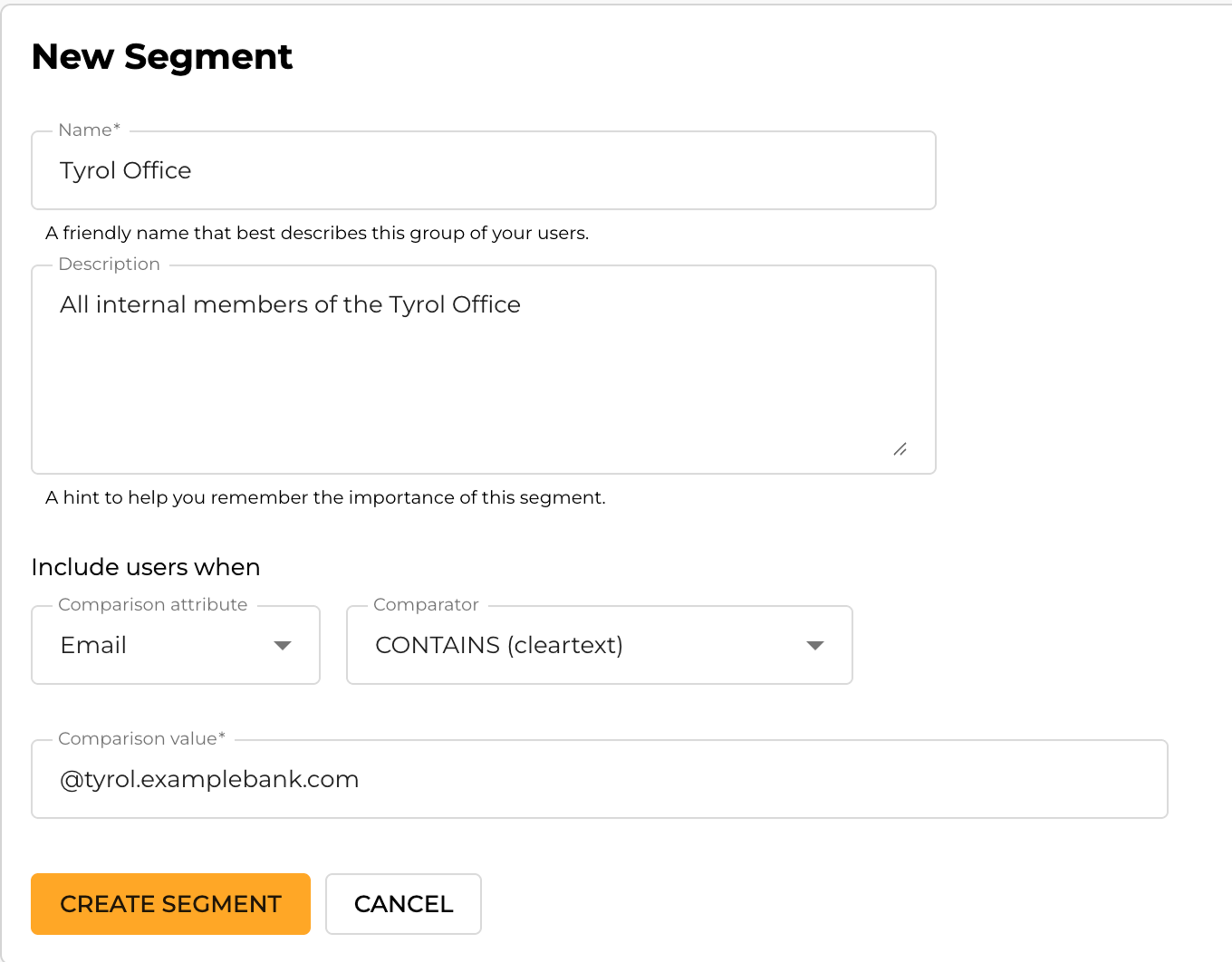
Now users whose User Object matches the segment conditions, such as [email protected], get the feature.
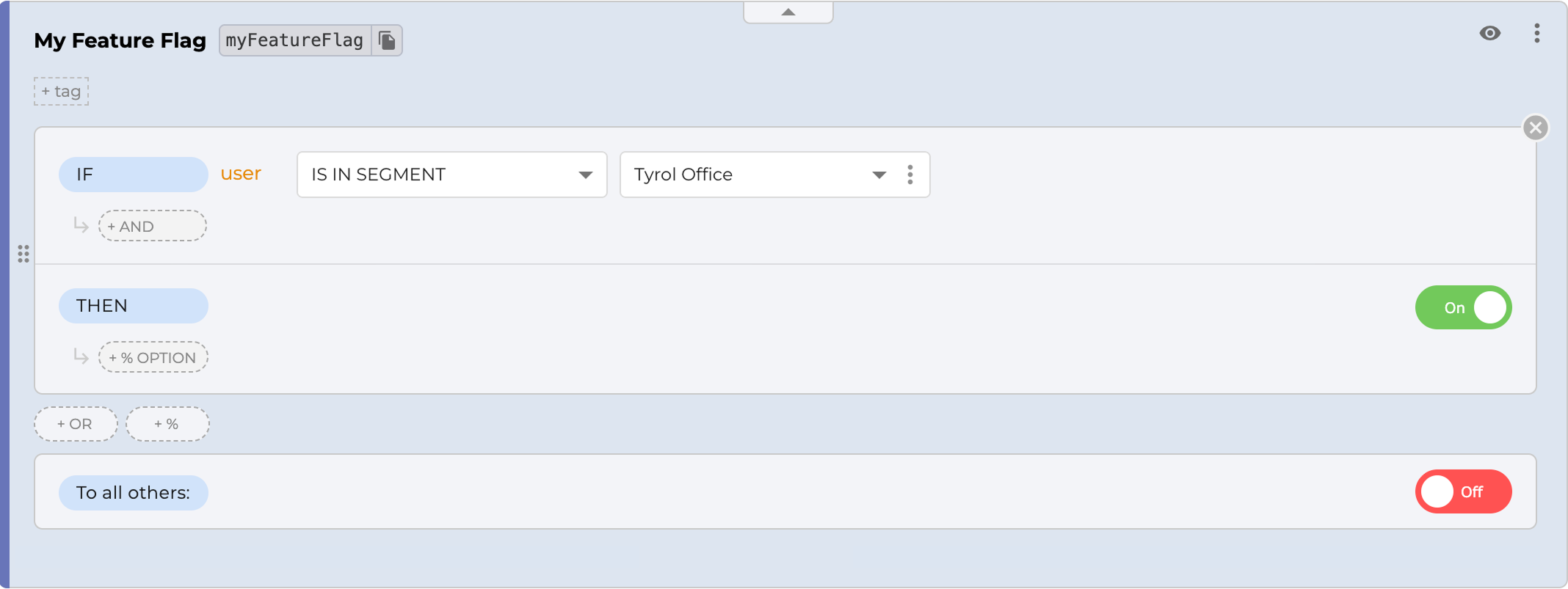
Segments become especially useful when the same tenant criteria are reused across many feature flags. You can also use ConfigCat's Public Management API to create or update segment definitions programmatically from your internal tools or release workflows.
Solution 3: Give Each Tenant a Dedicated Environment
An environment gives you an independently configurable set of feature flag values and targeting rules, together with a dedicated SDK key for the relevant config-environment pair. This provides stronger configuration separation than tenant targeting inside a shared environment.
For a small number of tenants with significantly different rollout requirements, you can map each tenant to its own environment. Your application must initialize the ConfigCat SDK with the correct SDK key for that tenant.
This removes the need for a shared tenant-matching rule within that environment. However, your application must still select the correct SDK key and enforce tenant authorization independently. A separate environment is a configuration boundary, not a replacement for security or data isolation.
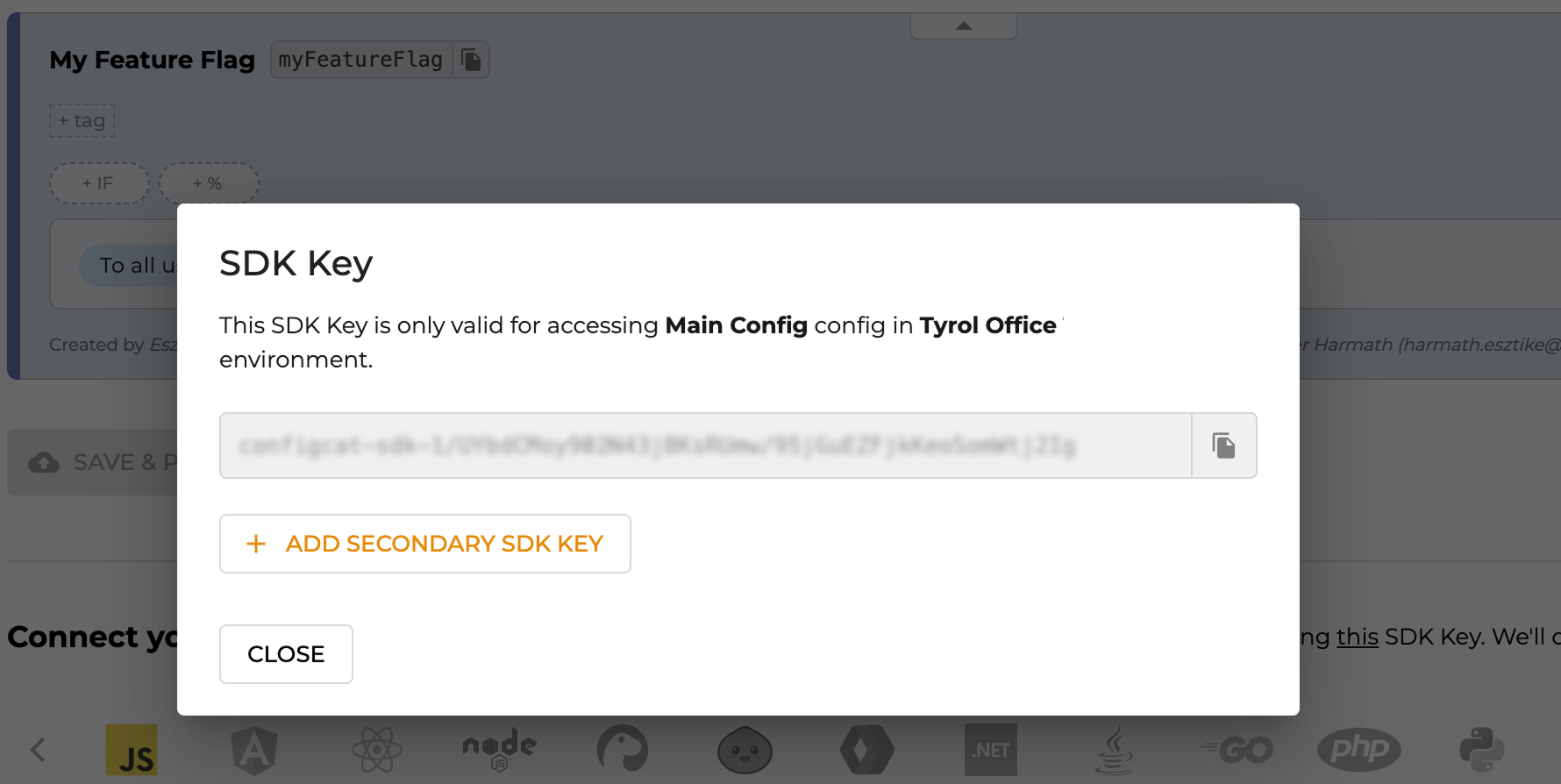
Each config-environment pair has its own SDK key. You initialize the ConfigCat SDK with the key for that tenant, then set dedicated flags and targeting rules per environment. To create one, go to your ConfigCat dashboard and open Product Overview > Environment > Add Environment.
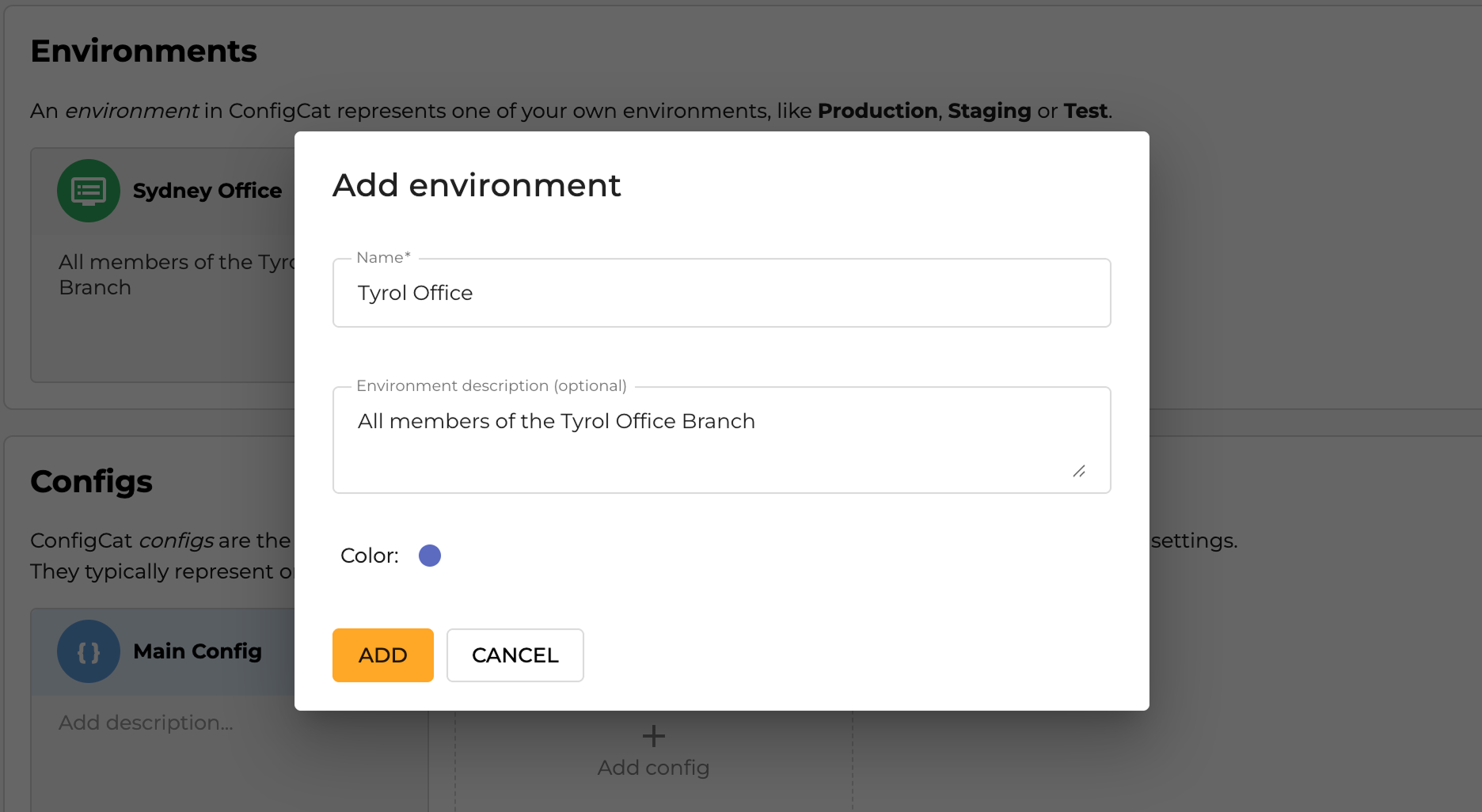
Name each environment after the tenant it serves.
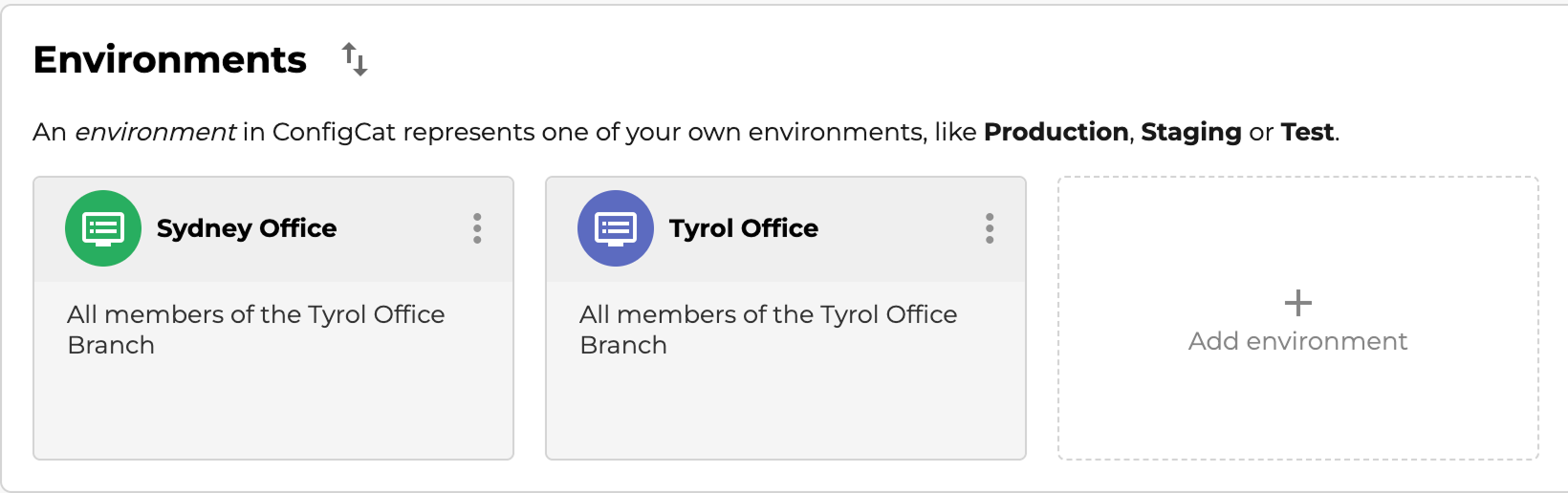
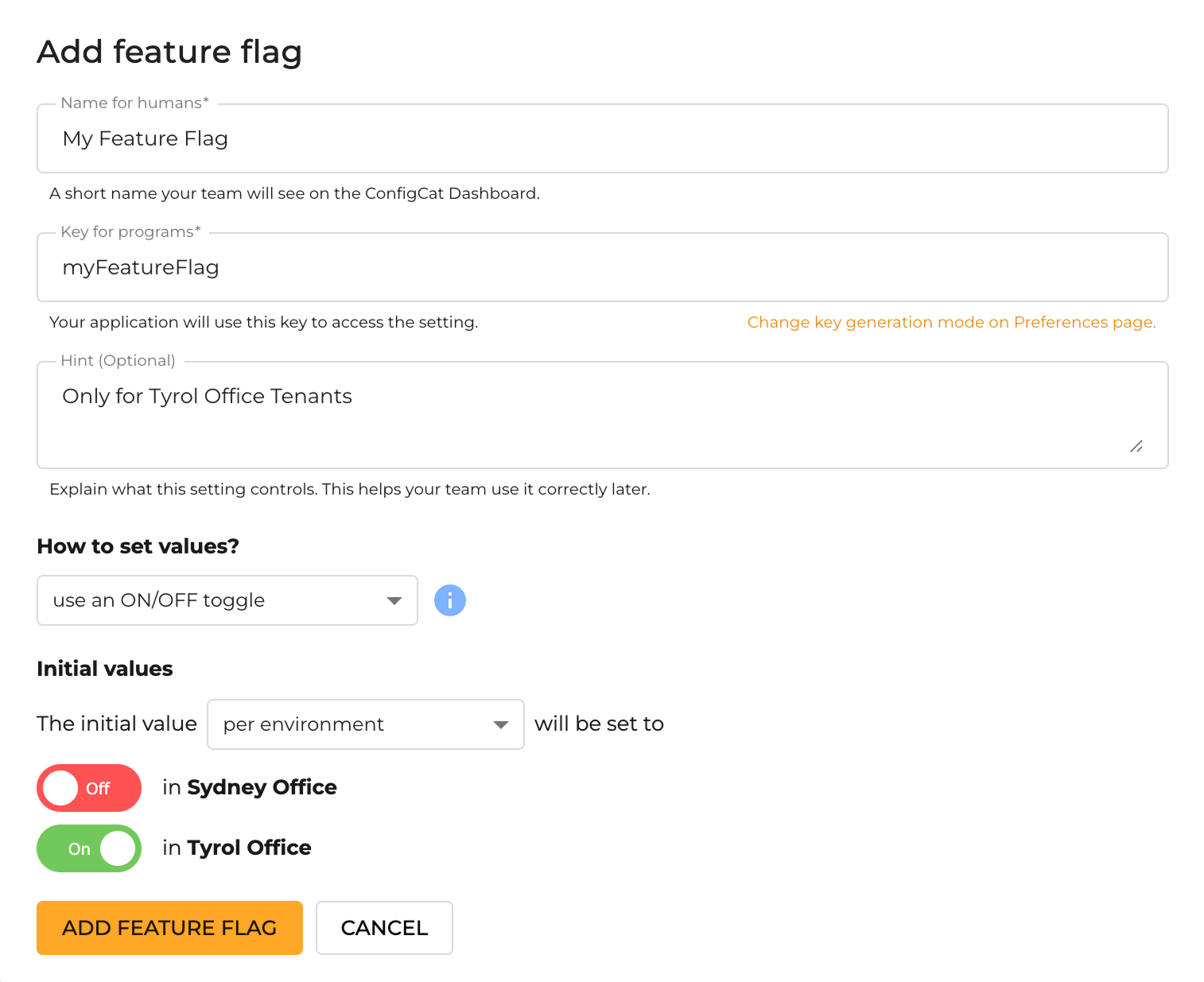
For every feature flag, you then choose which environments (that is, which tenants) it serves.
And each environment has its own SDK key that serves only that tenant.
Environments are heavier to manage as tenant count grows because each one introduces another set of environment-specific values, targeting rules, and SDK-key mappings. They shine when you have a handful of tenants that need independently managed configurations, not hundreds of nearly identical ones.
Which Approach Should You Use?
Pick the lightest option that provides the configuration separation and maintainability you need.
- Custom attribute when you want a fast, per-tenant rule on one or a few flags and a shared configuration is sufficient.
- Segment when the same tenant grouping shows up across many flags and you want to define it once and reuse it.
- Dedicated environment when a small number of tenants need independently managed values, targeting rules, or SDK keys.
Many teams combine these approaches. You might run segments for day-to-day targeting and reserve environments for a large enterprise customer that needs its own isolated config. There's no single right answer; choose the approach that matches how independently each tenant's feature configuration needs to be managed.
Frequently Asked Questions
What are multi-tenant feature flags?
Multi-tenant feature flags are flags in a shared-codebase application that turn a feature on or off per tenant. Instead of shipping a feature to every customer at once, you scope it to specific tenants, so one account can get a new feature while others stay on the current experience.
How do I target a feature to a single tenant?
Include a stable Tenant_ID attribute in the User Object supplied by your application and create a targeting rule that matches it. ConfigCat evaluates that attribute when the flag is requested and returns the configured values for users belonging to that tenant.
What's the difference between segments and environments for tenants?
Segments are reusable sets of targeting conditions evaluated within a shared configuration, making them suitable for larger tenant counts and rules used across multiple flags. Environments provide independently managed flag values, targeting rules, and SDK keys for each config-environment pair, making them more suitable for a small number of tenants with significantly different configuration requirements.
Do feature flags provide secure tenant isolation?
No. Feature flags control which application behavior is enabled, but they do not replace authentication, authorization, or tenant-aware data-access controls. Your application must enforce the tenant boundary independently.
Key Takeaways
- Multi-tenancy lets many customers share one deployment while their data, config, and users stay isolated. Feature flags help customize application behavior per tenant without requiring a new deployment.
- When you build a multi-tenant app, you eventually need to restrict a feature to some tenants and not others. Flags make that a configuration change rather than a code deployment.
- ConfigCat gives you three ways to do it: custom attributes for lightweight rules, segments for reusable groups, and environments for independently managed tenant configurations.
- Choose based on the configuration separation and operational overhead you need, and combine approaches where appropriate.
- Feature flags do not replace tenant authentication, authorization, or data isolation.
If you found this helpful and want to explore more about feature flagging, follow ConfigCat on Twitter, Facebook, and LinkedIn.
You worry not. Your feature flags are served.