Slack - Get notified when a feature flag changes
Overview
Receive notifications via a Slack Channel message when someone changes a feature flag using the ConfigCat Feature Flags app for Slack.
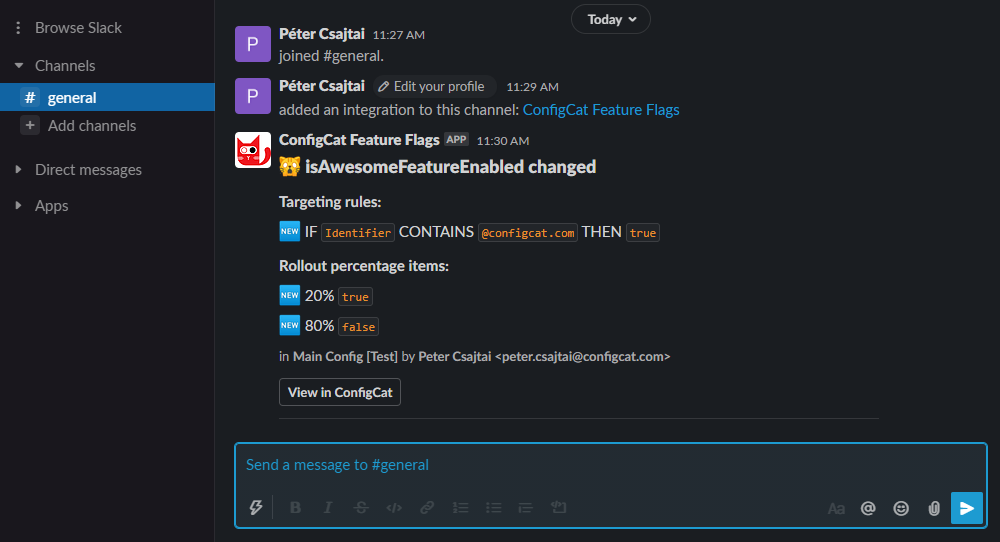
Installation
Open the integrations tab on the ConfigCat Dashboard.
Click on Slack's CONNECT button and connect ConfigCat Feature Flags with your Slack workspace.
You're all set. Go ahead and make some changes to your feature flags, then check your Slack Channel for notifications.
Un-installation
Open the integrations tab on ConfigCat Dashboard.
Click on Slack's DISCONNECT button.
Disconnection from ConfigCat stops sending notifications to your selected Slack channel. To manage authorization or remove the integration completely, please follow the instructions below:
Open your Slack App Directory: <YOUR-WORKSPACE>.slack.com/apps/manage
Select the ConfigCat Feature Flags app.
Select the Configuration tab.
- If you'd like to remove the integration from an individual channel, you can Revoke its access in the
Your authorizationsection. - If you'd like to remove the integration from your workspace completely, click the Remove app button in the
Remove appsection.
Usage
Make some changes to your feature flags.
Check your Slack Channel for notifications.