Install the ConfigCat CLI in GitHub Actions
This section describes how to install and use the ConfigCat CLI in GitHub Action workflows.
Prerequisites
-
To let the CLI access the ConfigCat Public Management API, you have to create a new API credential. Store the credential in your repository's GitHub Secrets with the following names:
CONFIGCAT_API_USER,CONFIGCAT_API_PASS.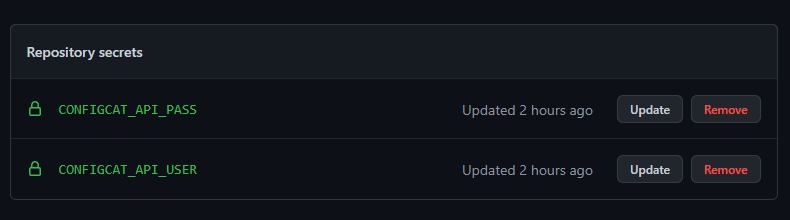
Example
The following example shows how you can install the ConfigCat CLI with ConfigCat's CLI Github Actions in your workflow.
name: Workflow with ConfigCat CLI
on: push
jobs:
  example-job:
    runs-on: ubuntu-latest
    env:
      CONFIGCAT_API_USER: ${{ secrets.CONFIGCAT_API_USER }}
      CONFIGCAT_API_PASS: ${{ secrets.CONFIGCAT_API_PASS }}
    steps:
      - uses: configcat/cli-actions@v1

      # Using the CLI in other steps
      - name: Update feature flag value
        run: configcat flag-v2 value update --flag-id <flag-id> --environment-id <environment-id> --flag-value true
info
The action doesn't execute the setup command. It's recommended to set the CONFIGCAT_API_USER and CONFIGCAT_API_PASS environment variables on a job level, so each subsequent step that uses a ConfigCat CLI command can access them.