Predefined Variations vs Free‑Form Values
ConfigCat supports two value-modes for feature flags: free-form values and predefined variations. This guide explains the differences between these approaches and helps you choose the right one for your use case.
Overview
In ConfigCat, you can configure feature flags to operate in either of these modes:
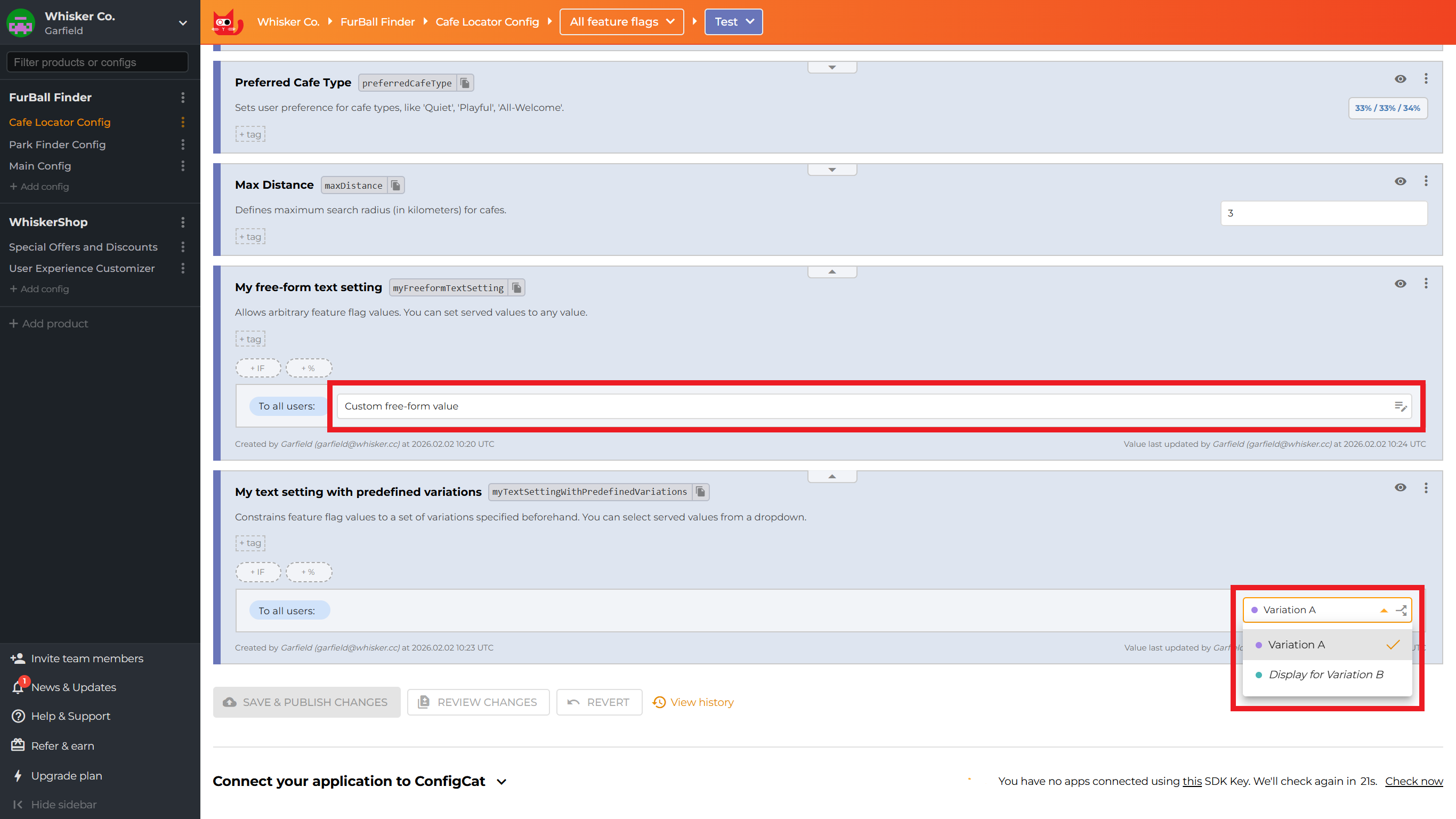
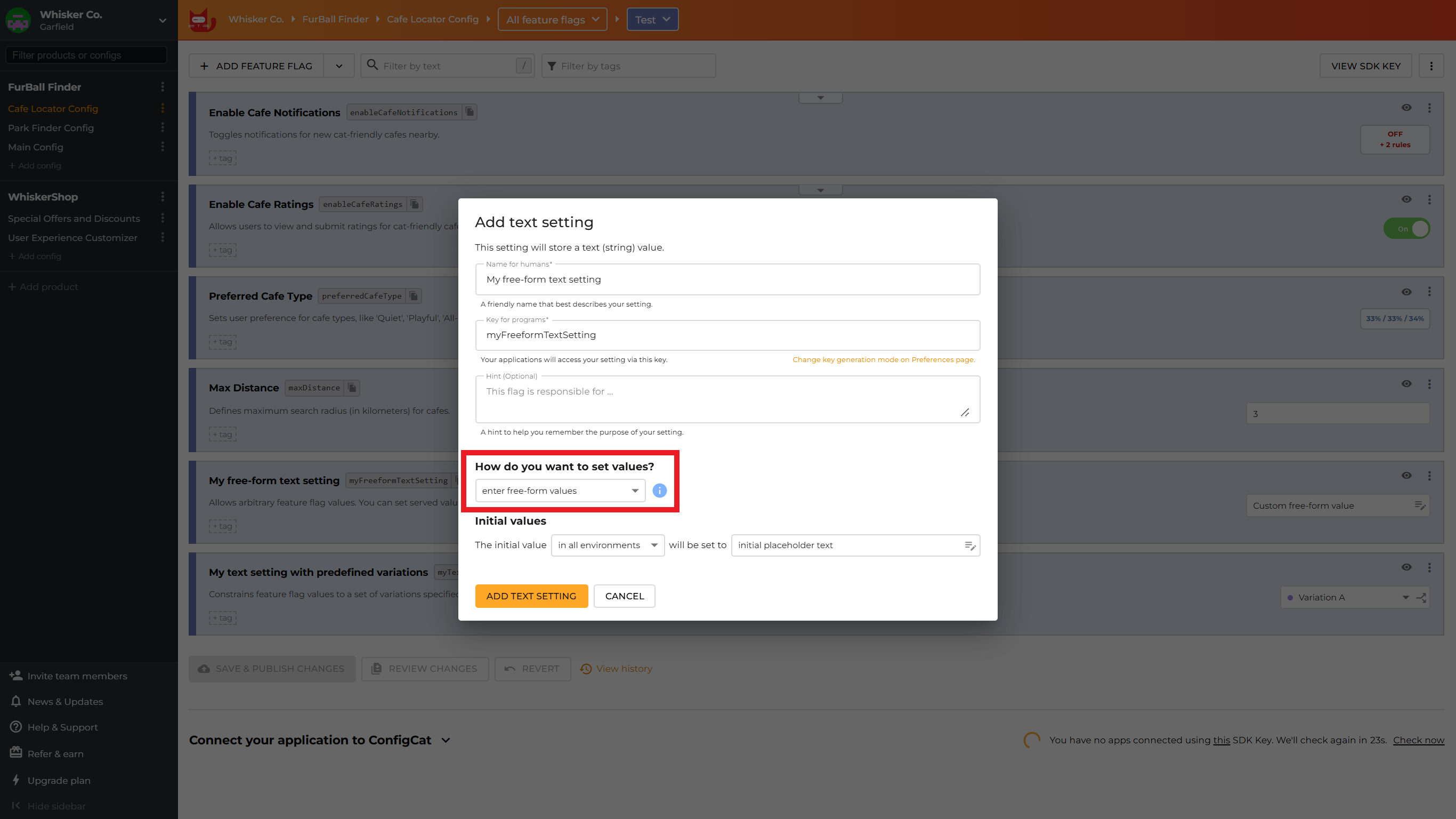
- Free-form values - Allows arbitrary values for non-boolean feature flags. You can set served values of such flags to any value.
- Predefined variations - Constrains feature flag values to a set of variations specified beforehand. You can select served values from a dropdown.
Free-form values
Free-form values are the traditional, unrestrictive mode that lets you enter a feature flag's exact value each time you set it.
Characteristics
- Direct Input: You type or input the value directly when setting up flag rules
- Ad-hoc Definition: Values are defined on-the-fly as needed
- No Reusability: Each value must be entered separately for each rule
- Simple Setup: Straightforward for basic use cases
- Flexible: Any valid value can be entered at any time
Use cases
Free-form values work well when you have simple, one-off configurations where feature flag values are unique and unlikely to be reused. They're ideal when you need quick setup without upfront planning, especially when working with primitive values like booleans or simple strings and numbers. This approach is also suitable when values change frequently or unpredictably.
Predefined variations
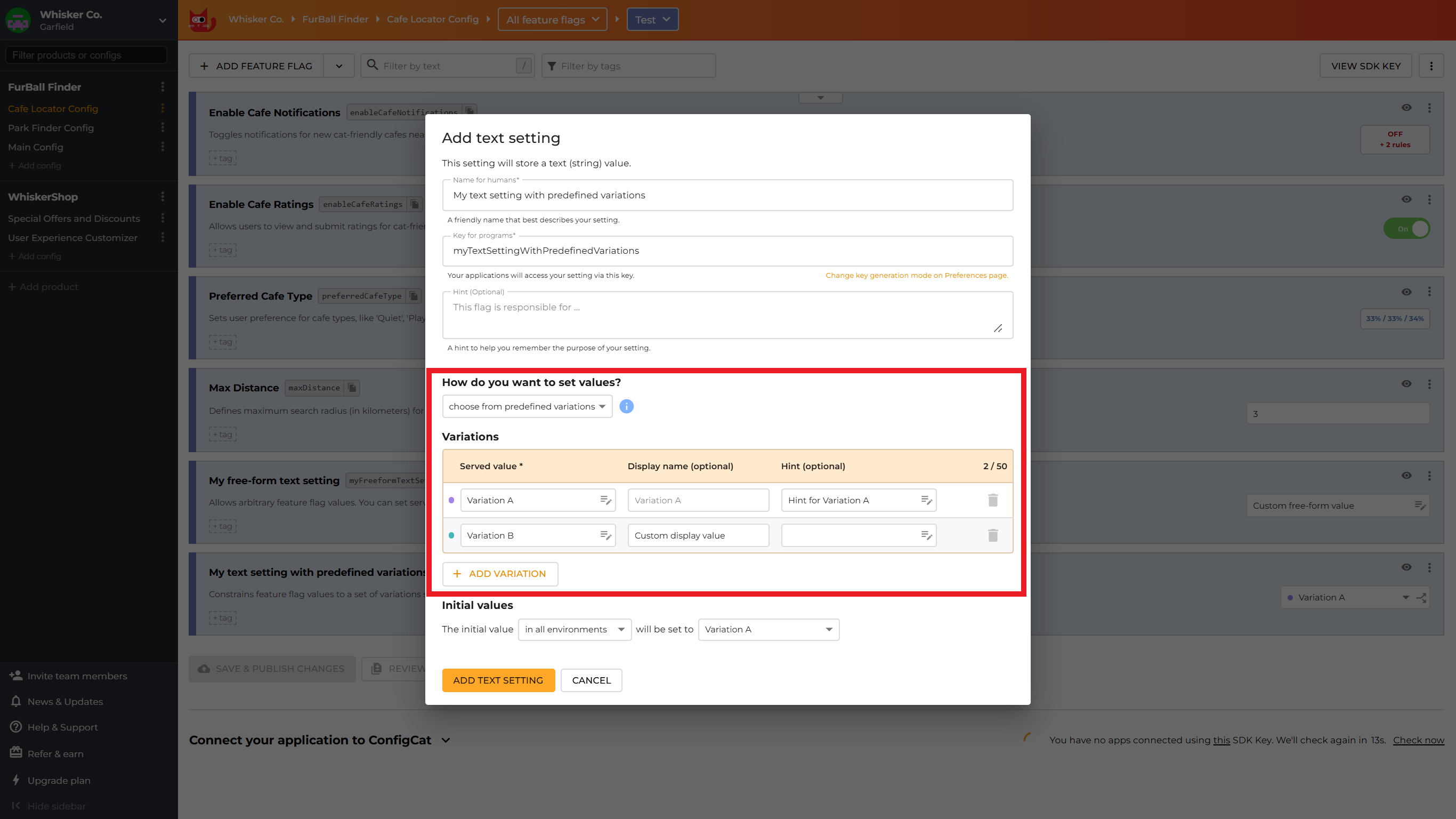
Predefined variations allow you to define a set of reusable values upfront when creating a feature flag. These variations can then be selected from a dropdown when setting up flag rules. Each variation consists of three fields:
Variation fields
| Field | Description |
|---|---|
| Served value | Required. The actual value that feature flag evaluation will return in your application when this variation is selected. |
| Display name | Optional. A human-readable identifier for the variation displayed in the dropdown. If not provided, a string representation of the served value is displayed instead. |
| Hint | Optional. Additional context or description to explain when or why to use this variation. It will be visible as a tooltip. |
Characteristics
- Defined at Creation: Variations must be defined when creating the feature flag
- Reusability: Define once, use multiple times across flag rules
- Consistency: Ensures the same values are used throughout your configuration
- Dropdown Selection: Choose from predefined options instead of typing
Use cases
Predefined variations are ideal when you have a standard set of values used across multiple rules, especially when consistency is critical for things like color schemes, API endpoints, or configuration objects. They work well when multiple team members need to understand what each value represents and you want to prevent typos or invalid values. This approach is particularly valuable when complex values like JSON objects need to be reused, when you need to provide guidance on when to use specific values, and when values are known upfront and relatively stable.
Converting between free-form values and predefined variations
ConfigCat provides an easy way to convert feature flags between free-form values and predefined variations.
Converting to predefined variations
You can convert a feature flag to use predefined variations by clicking the Convert to use variations item in the kebab (3 dots) menu of the feature flag.
When you convert a feature flag from free-form values to predefined variations, ConfigCat automatically collects all currently used values from your existing flag rules. These collected values are presented as suggested variations, but you can modify their display names and hints, or even add new variations.
The conversion doesn't affect your applications deployed to production.
Converting to free-form values
You can convert a feature flag to use free-form values by clicking the Convert to use free-form values item in the kebab (3 dots) menu of the feature flag. (For boolean feature flags, the corresponding menu item is Convert to use ON/OFF toggle.)
When you convert a feature flag from predefined variations to free-form values, the actual values from variations are extracted and feature flag values are updated to use the values directly. Display names and hints are irreversibly deleted, leaving only the values.
The conversion doesn't affect your applications deployed to production.
Working with predefined variations
Creating a feature flag with predefined variations
When creating a new feature flag, you can choose between free-form values and predefined variations.
Managing predefined variations
You can add/remove/modify predefined variations for a feature flag by clicking the related button in any served value dropdowns or by clicking the Manage predefined variations item in the kebab (3 dots) menu of the feature flag.
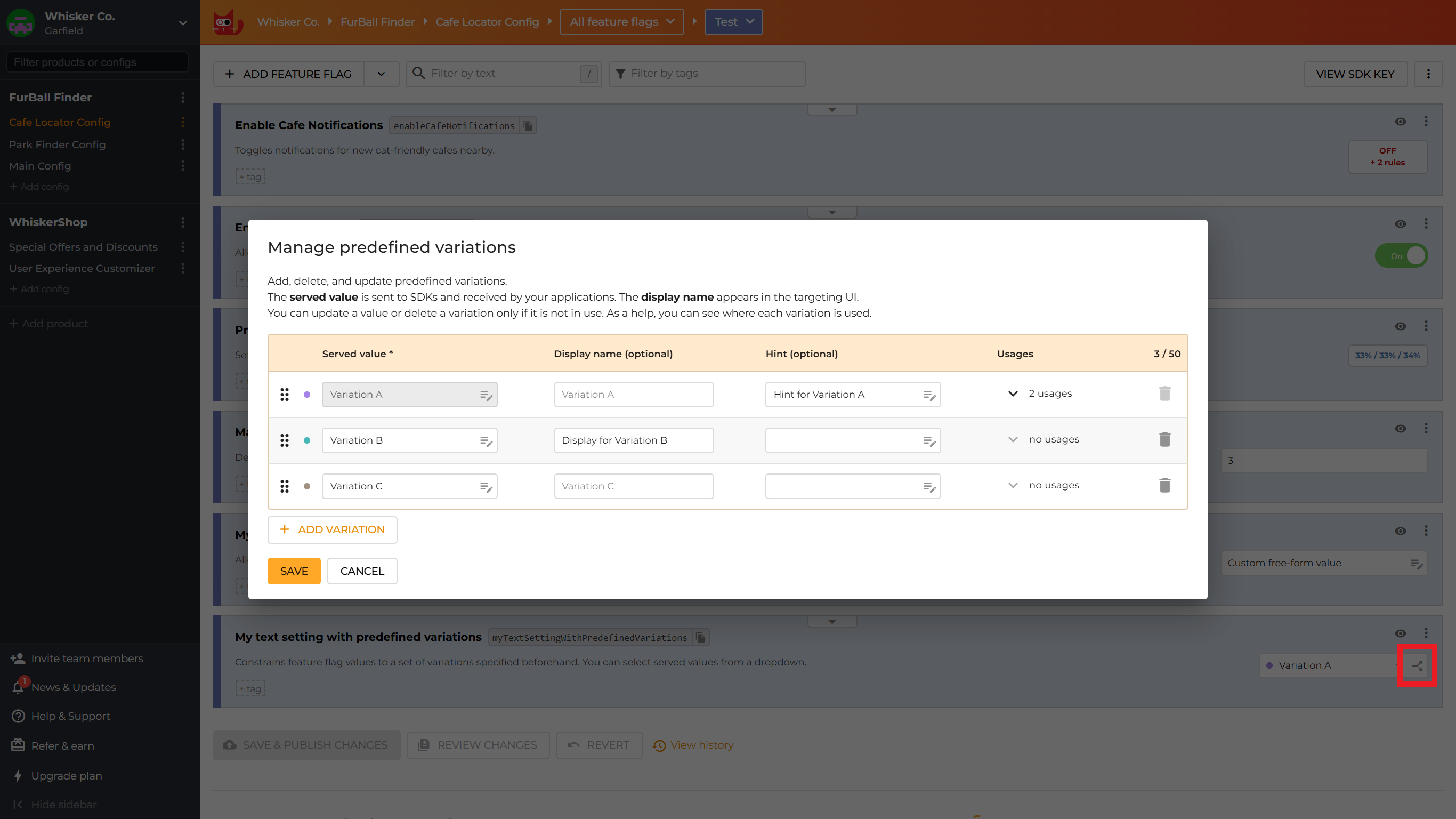
You can create additional variations as needed at any time. However, you can only remove a predefined variation if it is not currently in use.
You can modify the display name and hint of predefined variations at any time, but you can only change the served value of a predefined variation if it is not currently in use.
Variation ID vs predefined variations
ConfigCat also has a feature called Variation ID, but this is different from predefined variations, as it is designed primarily for analytics and A/B testing integrations. It is a hashed identifier of the feature flag's served value.
However, since predefined variations require unique served values, there is an inherent connection between the two concepts: a Variation ID uniquely identifies a predefined variation.
Therefore, if you enable the Variation ID feature in your product's preferences as explained here, the Manage predefined variations dialog will also display the Variation IDs corresponding to the variations.
Learn more about Variation ID here.